Field service management software is the digital backbone that helps HVAC, plumbing, electrical and other home service companies book jobs, dispatch technicians, send estimates and collect payment without letting work fall through the cracks. However, most operators do not realize how much revenue actually slips away between the first phone call and the final invoice. In fact, home service businesses commonly lose 20 to 30 percent of potential revenue to missed calls, cold estimates and unpaid jobs rather than to competitors. This guide explains what field service management software does, how to evaluate it, and why a flat-rate, all-in-one platform such as JobOS Pro often beats per-technician pricing for growing trade businesses.
What Is Field Service Management Software?
Field service management software is a category of business software that centralizes scheduling, dispatch, estimating, invoicing and customer communication for companies that send technicians into the field. Specifically, it replaces spreadsheets, paper job tickets and disconnected apps with one system that tracks a job from the first inbound call through final payment. For trades like HVAC, plumbing and electrical, this typically includes call handling, calendar-based dispatch, mobile technician apps and payment collection inside a single dashboard.
According to the U.S. Bureau of Labor Statistics, employment in installation, maintenance and repair occupations continues to grow steadily, which means competition for technicians and customers keeps intensifying. As a result, operators who rely on manual processes fall behind competitors who respond to leads within minutes instead of hours. Consequently, as field service management has matured as a category, this kind of software has shifted from a nice-to-have to a baseline requirement for any company running more than a handful of trucks.
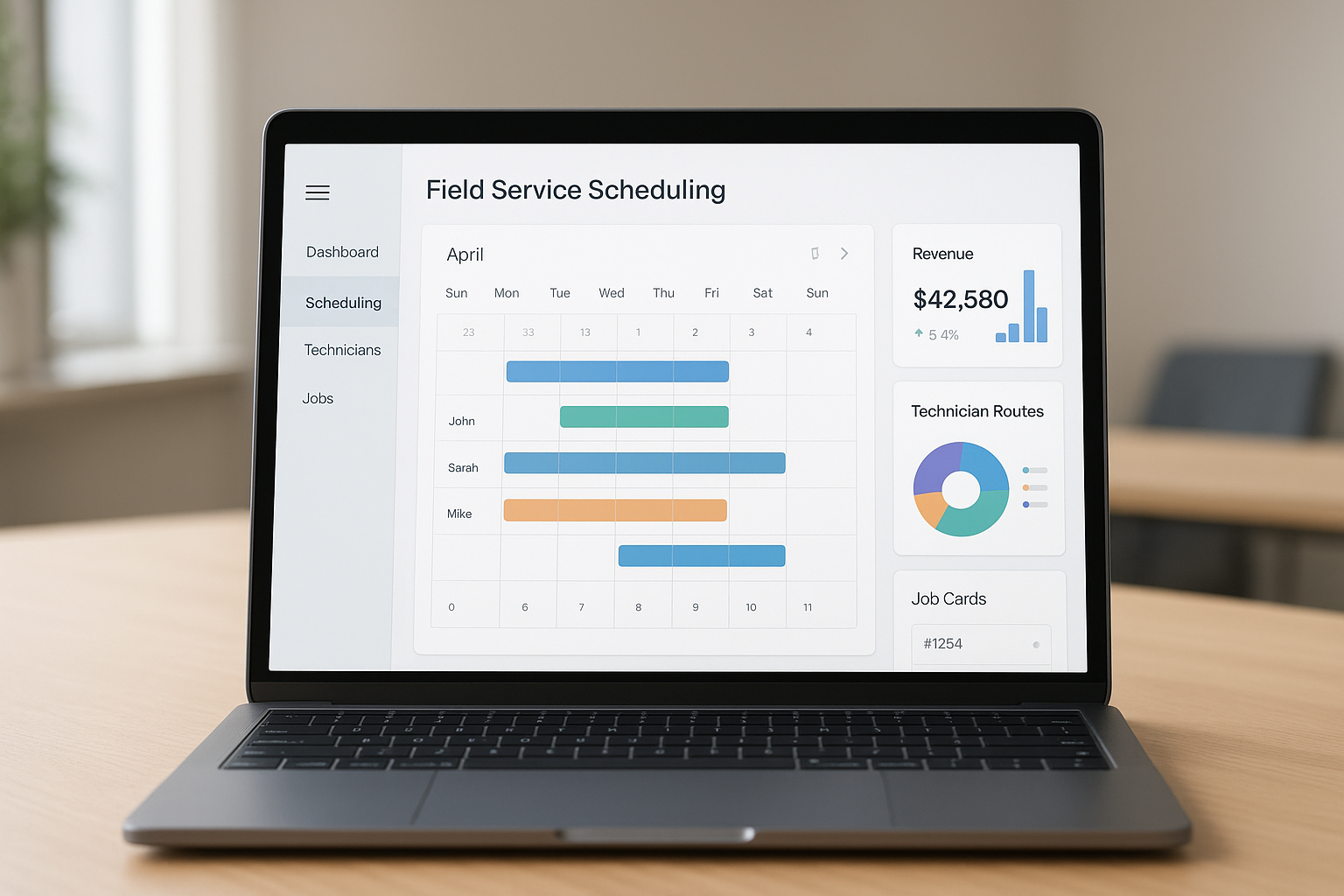
A field service management software dashboard keeps scheduling, dispatch and job tracking in one place.
How Field Service Management Software Stops Revenue Leakage
Home service businesses rarely lose revenue to a competitor down the street. Instead, they lose it to their own handoffs. A call rings out after hours, a lead sits in an inbox for three days, or an estimate goes cold because nobody followed up. Field service management software closes these gaps by connecting every stage of the job into one workflow instead of five to thirteen disconnected tools, as this breakdown of tool consolidation explains in more detail.
Missed Calls and Slow Lead Response
Above all, an unanswered phone is the single biggest leak in most shops. Therefore, some platforms now include an AI receptionist that answers every call, qualifies the caller, checks live technician availability and books the job automatically, even at 9 p.m. on a Saturday. This kind of always-on intake, paired with a dedicated field service scheduling workflow, keeps leads from going cold before a human ever sees them.
Estimates, No-Shows and Unpaid Invoices
Similarly, estimates that sit unanswered for days routinely lose the job to a faster competitor. In contrast, presenting financing and buy-now-pay-later options at the moment of decision helps convert more quotes on the spot. Meanwhile, automated text-to-pay and recurring billing reduce the number of completed jobs that never actually get invoiced or collected on time.
Core Features to Look for in a Field Service Platform
Not every field service platform covers the full revenue path from first call to final payment. Therefore, it helps to compare candidates against a consistent feature checklist rather than judging on price alone.
- Lead intake and missed-call capture: around-the-clock answering and booking, not just voicemail.
- Scheduling, dispatch and calendar: real-time technician availability and route assignment.
- Estimates and dynamic pricing: financing options presented at the point of decision.
- Payments and invoicing: text-to-pay, recurring billing and subscription jobs.
- Unified inbox and CRM: call, text and email history in one customer record.
- Technician field app: GPS, photos, signature capture and offline mode.

A clear evaluation checklist helps trade businesses compare field service management software options.
Field Service Management Software vs. Spreadsheets and Point Solutions
Many shops start with spreadsheets, a group text and a separate invoicing app. Eventually, that patchwork stops scaling once a business adds trucks, and something starts slipping through the cracks weekly. In contrast, a consolidated home service management software platform keeps intake, scheduling, estimating, billing and reviews inside one system, which reduces the number of places a lead or invoice can disappear.
The same leakage problem shows up across adjacent trades, including landscaping crews juggling seasonal scheduling and invoicing, which is why platforms built for landscaping software follow similar consolidation logic. Pricing structure matters here too. JobOS Pro, for example, publishes flat plans at $199, $349 and $549 per month with unlimited technicians, dispatchers and office staff on every tier, rather than charging per seat the way some enterprise platforms do. Multi-location and franchise operators need a different layer entirely, covering royalty tracking, cross-unit benchmarking and a network leakage funnel, which is where enterprise-focused tooling comes in. Notably, the platform is designed to run alongside existing tools such as Jobber, ServiceTitan and QuickBooks, so switching does not require a disruptive migration on day one.
How to Choose Field Service Management Software: A Step-by-Step Process
Choosing the right platform is easier with a defined process rather than a feature-by-feature comparison spreadsheet. The following five steps outline a practical evaluation path for most 3-to-15-truck operators.
- Audit your current revenue leakage points across intake, estimating and billing to know which features matter most for your operation and crew size.
- Shortlist platforms that match your trade and crew size, then compare unlimited-user pricing against per-technician fees to see how costs scale as you hire.
- Test the AI receptionist, scheduling and payment tools during a free trial period, ideally while keeping your current software running as a backup.
- Migrate customer records, price books and open jobs gradually, starting with new leads before moving historical data once your team is comfortable.
- Review your operational reporting or health score monthly to confirm the software is actually recovering revenue, not just recording completed jobs.

Consolidating tools into one field service management software platform reduces gaps where revenue quietly leaks out.
Flat-Rate Pricing vs Per-Technician Fees
Pricing structure often matters as much as feature lists. Per-technician pricing looks affordable at three trucks, yet it quietly rises every time a business hires, which punishes exactly the growth an operator is trying to achieve. Flat-rate field service software, on the other hand, keeps the bill fixed whether a shop runs five trucks or fifteen. Additionally, the U.S. Small Business Administration notes that technology spending should scale with revenue, not against it, when businesses plan software budgets (see the SBA's technology strategy guidance). For a growth-minded owner-operator, that distinction can mean thousands of dollars in avoided software costs over a single year.
Frequently Asked Questions About Field Service Management Software
What is field service management software?
Field service management software is a system that centralizes scheduling, dispatch, estimates, invoicing and customer communication for businesses that send technicians into the field. It replaces spreadsheets and paper tickets with one connected workflow.
How does field service management software reduce missed calls?
Many platforms include an AI receptionist or auto-response tool that answers inbound calls around the clock, checks technician availability and books the job automatically. This prevents leads from going cold after hours or during peak call volume.
Why do home service businesses lose revenue without field service software?
Without a connected system, leads sit unanswered, estimates go cold, and completed jobs sometimes never get invoiced. Operators commonly lose 20 to 30 percent of potential revenue to these internal handoffs rather than to competitors.
How much does field service management software cost?
Pricing varies widely, from per-technician fees that rise with headcount to flat monthly plans. JobOS Pro, for example, publishes flat pricing at $199, $349 and $549 per month with unlimited technicians on every tier.
How long does it take to implement field service management software?
Basic setup for scheduling and call handling can happen within days, while full migration of historical customer and job data often takes a few weeks. Most platforms allow the new system to run alongside existing tools during the transition.
What features should HVAC and plumbing companies look for?
Look for call intake and booking, dispatch and calendar management, a mobile technician app, estimating with payment options, and invoicing with text-to-pay. Reporting on margin by job and by technician is also valuable for growing crews.
Field service management software vs. spreadsheets: what is the difference?
Spreadsheets require manual updates and offer no automation, so leads and follow-ups are easy to miss. Field service management software automates reminders, dispatch and payment collection so fewer jobs fall through the cracks.
What is the biggest mistake businesses make when choosing field service software?
The most common mistake is choosing based on features alone without checking how pricing scales with crew size. Per-technician fees can quietly double software costs within a year of steady hiring.
Can field service management software work alongside existing tools like QuickBooks?
Yes, most modern platforms are designed to run alongside accounting tools such as QuickBooks and existing scheduling apps during a transition period. This allows a business to test a new system without disrupting daily operations.
Does field service management software help with online reviews?
Many platforms include reputation management that automatically requests reviews after a job is marked complete. This keeps future lead flow steady instead of relying only on paid advertising.
What is the difference between per-technician pricing and flat-rate pricing?
Per-technician pricing charges a fee for every added user, so software costs rise every time a company hires. Flat-rate pricing charges one price for unlimited technicians and staff, keeping software costs predictable as a crew grows.
Is there a free trial for field service management software like JobOS Pro?
JobOS Pro offers a 30-day free trial with no credit card required and month-to-month terms after that. This lets operators test call handling, scheduling and billing before committing.
Final Takeaways
In short, field service management software works best when it plugs revenue leaks rather than simply digitizing paperwork. Whether a shop runs three trucks or fifteen, the goal stays the same: answer every call, follow up on every estimate, and collect every invoice without hiring more office staff. Platforms such as JobOS Pro pursue this by charging one flat fee regardless of headcount, which matters more as a crew grows. Ultimately, choosing the right field service management software comes down to matching features and pricing to how a business actually loses revenue today.
