A housecall pro alternative for hvac is a field service platform that covers scheduling, dispatch, estimates, payments and customer communication for heating and cooling companies, without the limits or per-user costs that push growing crews away from Housecall Pro. If you run three or more trucks, the right choice can change both your software bill and how much revenue you keep.
Quick answer: Choose on total cost at your future headcount and on how well the tool plugs revenue leaks. JobOS Pro is one option: flat $199, $349 or $549 monthly pricing with unlimited technicians and staff.
Why HVAC Owners Look Beyond Housecall Pro
Housecall Pro works well for small teams. However, owners often outgrow it. As crews expand, three problems tend to appear.
- Software costs rise with every technician or seat you add.
- Calls go unanswered during peak hours and after five.
- Estimates go cold because follow-up depends on busy people.
Notably, the issue is rarely competition. Home service operators can lose 20 to 30 percent of potential revenue to their own handoffs, according to JobOS Pro's own analysis. Therefore, features that recover revenue deserve as much weight as features that record it. For a direct side-by-side, see this JobOS Pro vs Housecall Pro comparison.

An HVAC owner weighs a Housecall Pro alternative for HVAC before adding more trucks.
What Is the Best Housecall Pro Alternative for HVAC?
The best option depends on your size and priorities. Crews of roughly 3 to 15 trucks usually want more depth than Housecall Pro, but not ServiceTitan's enterprise per-technician pricing.
In practice, three paths are common. Jobber suits simpler needs. ServiceTitan suits large, complex operations. JobOS Pro targets the middle: growing multi-crew owners who want one system and a bill that does not move with headcount. If ServiceTitan's price is your concern, read this guide to a cheaper alternative to ServiceTitan.
Pricing Models Compared
Pricing structure matters more than the headline number. The table below summarizes the models in general terms. Always confirm current rates on each vendor's site.
| Model | How cost scales | Best fit |
|---|---|---|
| Per-user or per-technician | Rises with each hire | Stable, small teams |
| Flat tier (JobOS Pro: $199, $349, $549/mo) | Fixed, unlimited staff | Growing multi-crew shops |
Features That Matter for HVAC Companies
HVAC work is seasonal and call-driven. As a result, a few capabilities matter most.
Call Capture and AI Receptionist
A missed call in a heat wave is a lost job. JobOS Pro includes Kate, an AI receptionist that answers around the clock, qualifies the caller, checks live availability, books the job and sends a confirmation text. For more background, see this guide to an answering service for an HVAC company.
Estimates, Financing and Payments
Replacement jobs are large purchases. Therefore, estimates with dynamic pricing and financing or buy-now-pay-later at the point of decision can lift close rates. Text-to-pay and invoicing also shorten the time to collect.
Field App and Reporting
Technicians need GPS, before and after photos, signature capture and offline mode. Owners need margin by job, technician and lead source. JobOS Pro bundles both, along with a CEO dashboard and daily briefing.
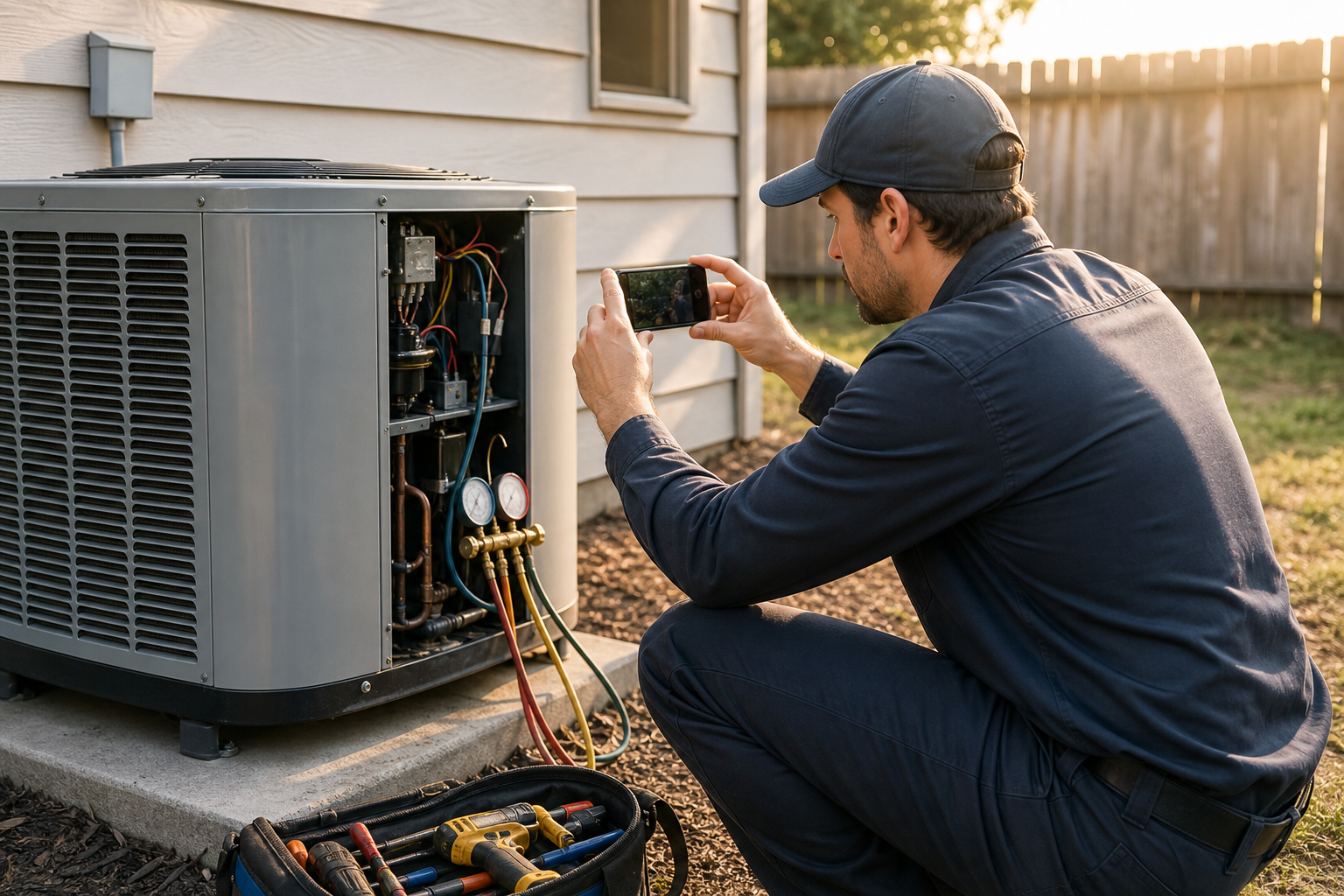
Before and after photos in a field app support quality checks and faster invoicing.
How to Choose an HVAC Software Replacement
Follow these steps to compare options without guesswork.
- List your revenue leaks. Note missed calls, cold estimates, no-shows, late invoices and missing reviews.
- Model cost at future headcount. Price each tool at today's crew and after planned hires.
- Shortlist two or three platforms. Match them to the leaks you listed.
- Run a parallel pilot. Test with one dispatcher and a few technicians alongside current tools.
- Measure and decide. Compare answered calls, booked jobs, close rates and days to payment.
Because JobOS Pro runs alongside tools like Jobber, ServiceTitan and QuickBooks, step four needs no migration. The trial lasts 30 days, requires no credit card and is month-to-month. You can also read the dedicated Housecall Pro alternatives page for more detail.
Common Mistakes When Switching
First, many owners compare sticker prices rather than total cost after hiring. Second, they skip the pilot and train the whole crew at once. Finally, they ignore leaks like follow-up and reviews. For context on the trade itself, the U.S. Bureau of Labor Statistics publishes outlook data for HVAC mechanics and installers, and the Air Conditioning Contractors of America offers industry resources.
Frequently Asked Questions
What is the best Housecall Pro alternative for HVAC?
It depends on your size. Growing crews of 3 to 15 trucks often want more depth than Housecall Pro without ServiceTitan's per-technician pricing. JobOS Pro, Jobber and ServiceTitan are the common options to compare.
Why do HVAC owners leave Housecall Pro?
Common reasons are per-user pricing that rises with every hire, limited depth for multi-crew operations, and gaps in call handling and lead follow-up. Each owner's reasons differ, so list your own pain points first.
How much does JobOS Pro cost?
JobOS Pro publishes flat pricing of $199, $349 and $549 per month. Every tier includes unlimited technicians, dispatchers and office staff.
Is there a free trial?
Yes. JobOS Pro offers a 30-day free trial with no credit card required. Terms are month-to-month.
Do I need to migrate off my current software to try a new platform?
Not with JobOS Pro. It runs alongside existing tools such as Jobber, ServiceTitan and QuickBooks, so you can test it without a full migration.
How does an AI receptionist help an HVAC company?
It answers calls around the clock, qualifies the caller, checks availability, books the job and texts a confirmation. This helps capture calls during peak hours and after 5 p.m.
Is Housecall Pro or ServiceTitan better for HVAC?
Housecall Pro is generally simpler and suits smaller teams. ServiceTitan is deeper but costs more and is typically priced per technician. Many mid-size owners look for something in between.
What features should an HVAC software platform have?
Look for scheduling and dispatch, estimates, invoicing and payments, a technician mobile app, customer communication, reviews, and reporting. Missed-call capture and follow-up automation add real value.
How long does it take to switch HVAC software?
A parallel pilot can start in days, since there is no forced migration. A full switch usually takes a few weeks, depending on data volume and crew training.
What is a common mistake when choosing a Housecall Pro alternative for HVAC?
The most common mistake is comparing sticker prices instead of total cost at your future headcount. Another is ignoring revenue leaks such as missed calls and stale estimates.
Can small HVAC businesses use JobOS Pro?
Yes, though it is built mainly for multi-crew owners running roughly 3 to 15 trucks. Very small solo operators may find simpler tools sufficient.
Does JobOS Pro support multi-location HVAC businesses?
Yes. It includes a franchise and multi-location layer with cross-unit benchmarking, royalty tracking and white-label options.
Conclusion
Choosing a housecall pro alternative for hvac comes down to three checks: cost at your future headcount, how well the tool plugs revenue leaks, and whether you can pilot it without disruption. JobOS Pro offers flat pricing with unlimited staff, an AI receptionist and a 30-day free trial. Start a trial at jobospro.com and measure the results against your current setup.

