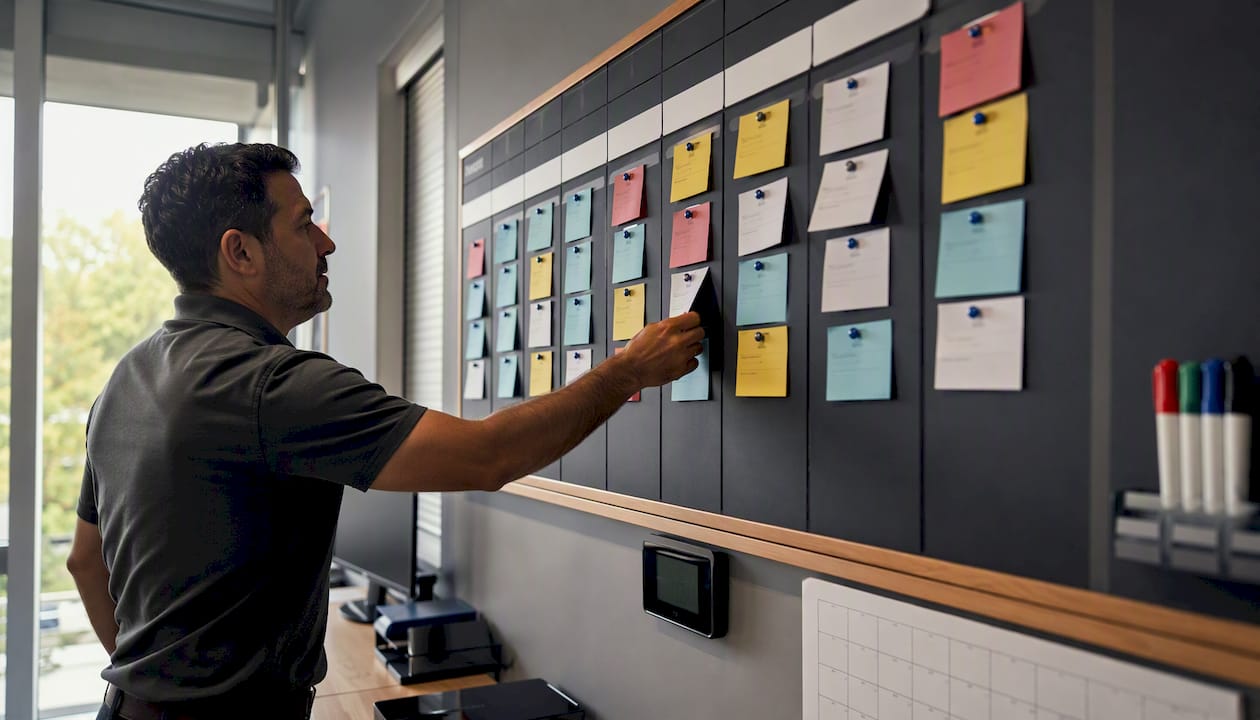
Kanban Dispatch Boards: The Operations Manager's Playbook
Kanban Dispatch Boards: The Operations Manager’s Playbook
The fastest way to regain real-time control of field work is an AI-native kanban dispatch board with live job cards, stage columns, drag-and-drop assignment, and telemetry tied directly to your technicians’ locations. If you’re evaluating options right now, the approach that consistently outperforms static whiteboards and spreadsheet-based dispatch is a pull-based visual board with WIP limits, assignment validation, and GPS-linked card updates.
Before you read further, here are the three non-negotiable elements to require in any solution:
- Real-time telemetry on every card: live GPS pings, ETA updates, and status changes flowing from the technician’s mobile app directly to the board without manual entry.
- Assignment validation at drag-and-drop: the board must enforce driver certification, vehicle type, and capacity constraints the moment you move a card, not after the job is already dispatched.
- WIP and priority controls per stage: configurable limits that flag overloaded stages and a priority swimlane for emergency or expedite jobs.
Your next action: schedule a one-week pilot with a single shift and two to four technicians. Prepare a pilot checklist before day one (covered in the quick-start section below) and measure cycle time, on-time percentage, and reassignment count across three shifts.
Key Takeaways
An AI-native kanban dispatch board with live telemetry, assignment validation, and WIP limits is the most direct path to measurable dispatch performance improvement for field service and logistics teams.
| Point | Details |
|---|---|
| Require these three features | Real-time telemetry on cards, drag-and-drop assignment validation, and per-stage WIP limits are non-negotiable for production dispatch. |
| Start with five columns only | Map only genuine waiting stages; adding cosmetic columns degrades dispatcher focus and board signal quality. |
| Run a three-shift pilot first | Use two to four technicians, a designated board owner per shift, and defined success criteria before expanding to the full team. |
| Measure cycle time and reassignments | These two metrics reveal bottlenecks and upstream scheduling problems faster than on-time percentage alone. |
| Jobospro as your AI-native option | Jobospro combines live dispatch board, Max AI assignment validation, multi-location intelligence, and revenue-recovery reporting in one platform. |
Table of Contents
- What does a kanban dispatch board actually do?
- How do you map dispatch workflows to a kanban board?
- Three steps to get your kanban dispatch board running this week
- What integrations does a kanban dispatch board need in production?
- Which metrics should your dispatch kanban surface?
- What should you test in a vendor demo?
- How does Jobospro implement a kanban dispatch board?
- How should you protect dispatch data and driver privacy?
- What mobile and offline capabilities should dispatchers expect?
- What customization goes beyond standard templates?
- How should you set up user roles and permissions?
- How does a dispatch board scale as your fleet grows?
- What do dispatch board pricing models look like?
- What the conventional wisdom on kanban dispatch gets wrong
- Jobospro brings AI-native dispatch to your kanban board
- Sources
What does a kanban dispatch board actually do?
A kanban dispatch board translates your dispatch workflow into a visual, stage-based system where every job is a card that moves left to right through columns representing real operational states. The industry term for this pattern is a pull-based visual scheduling board, and it works in dispatch because jobs arrive continuously rather than in sprints, making WIP limits and pull policies more useful than sprint commitments.
The core features to evaluate in any product:
- Stage/column-based job tracking: columns map to genuine waiting stages (Unassigned, Assigned, En Route, On Site, Completed) rather than cosmetic categories. Fleetbase’s board uses Created, Dispatched, Started, Completed, and Canceled as its five system-status columns, with filters by driver and fleet available at the top.
- Live job cards with telemetry: each card displays customer name, address, ETA, assigned technician, and a live location indicator. Cards update automatically when the driver’s mobile app changes status.
- Drag-and-drop assignment with validation: moving a card onto a technician’s lane triggers a validation check. DispatchFleet’s real-time board enforces resource attributes including certifications, vehicle type, and trailer availability at the point of drag-and-drop, preventing downstream exceptions before they happen.
- Quick actions from cards: dispatch, assign, cancel, and message the driver without leaving the card. This keeps dispatchers on the board rather than toggling between screens.
- Driver alerts panel: a dedicated panel showing blocked jobs, missed ETAs, and technician status changes so dispatchers can act on exceptions in seconds.
- Multi-truck coordination with capacity overlays: a capacity bar or count per technician lane that shows how many active jobs each driver carries, preventing double-booking at a glance.
Pro Tip: When requesting a demo, ask the vendor to show you a live card detail view with a simulated ETA alert, the assignment validation error message when you drag a job to an unqualified driver, and the capacity overlay when a technician is at their WIP limit. If the vendor can’t demo all three in under five minutes, the feature likely isn’t production-ready.
How do you map dispatch workflows to a kanban board?
The board layout you choose should match how your operation actually runs, not how a generic project-management template was designed. Miro’s kanban template library recommends matching template complexity to team velocity and process complexity, and that principle holds directly in dispatch.
Common layouts for dispatch teams:
- Shift board: one column per stage, rows per technician. Best for HVAC, plumbing, and electrical teams where each tech runs independent jobs. You see every technician’s load at once.
- Route-lane board: one lane per route or geographic zone. Useful for multi-stop delivery or recurring service where route integrity matters more than individual technician load.
- Priority-swimlane board: a horizontal swimlane at the top for emergency/expedite jobs, standard jobs below. Emergency cards never get buried under routine work.
- Multi-truck coordination layout: columns for stages, rows for vehicle type or crew. Useful for roofing, landscaping, or any trade that dispatches crews rather than solo technicians.
Swimlanes work best when you have two or more job classes that genuinely need separate visibility, such as emergency versus scheduled, or residential versus commercial. Per-technician columns work better when individual utilization is the primary constraint. A backlog column on the far left holds jobs not yet ready to assign, keeping the active board clean.
For emergency and expedite jobs, the priority swimlane is the most reliable pattern. The card enters the top lane immediately on intake, and the dispatcher’s attention goes there first every time. For recurring service routes, the route-lane layout lets you confirm route integrity before the shift starts rather than discovering gaps mid-morning.
Pro Tip: Atlassian’s kanban guidance is explicit on this: limit columns to stages where work genuinely waits. If a column never has more than one card in it for more than a few minutes, it’s not a real stage. Every extra column adds cognitive load for dispatchers and dilutes the signal value of the board.
Three steps to get your kanban dispatch board running this week
Getting value in the first shift doesn’t require a long configuration project. Here’s the setup sequence that works:
-
Create the board and map your real stages. Start with five columns: Unassigned, Assigned, En Route, On Site, Completed. Don’t add more until you’ve run three shifts and confirmed a genuine waiting stage exists. Set a WIP limit of several jobs per technician lane in the Assigned column. Use a kanban board template as your starting point for field layout and data fields (customer, address, job type, priority, ETA, required parts).
-
Add jobs and link telemetry. Import your day’s job list via CSV or CRM sync. Confirm each card has: customer name and address, job type, scheduled window, assigned technician (or leave in Unassigned), and required parts or certifications. Connect your GPS/telematics feed so card ETAs update automatically. DispatchCore’s dispatch board supports day/week/month views and real-time updates tied to technician mobile status, which is the baseline to expect from any production system.
-
Assign jobs and run the pilot with guardrails. Assign the first wave of jobs at shift start. Designate one dispatcher as board owner for the shift. Their job: prune completed cards every 30 minutes, confirm WIP limits are respected, and escalate any blocked card that hasn’t moved in 45 minutes. Run this for three shifts before adding any new columns or features.
Pilot checklist for the first three shifts:
- Filter the board to show only today’s jobs (not the full backlog)
- Set WIP limit per technician: three jobs maximum in Assigned
- Include two to four technicians with GPS-enabled mobile apps
- Define success criteria before shift one: target on-time percentage, maximum reassignments per shift, and cycle time per job type
- Log every exception (blocked card, failed assignment validation, manual override) for the post-pilot review
First-shift quick tips: give every dispatcher read access to the telemetry panel, not just the board owner. Assign card ownership at job creation, not at dispatch. Handle exceptions by moving the card back to Unassigned with a note rather than deleting it.
What integrations does a kanban dispatch board need in production?
A board that isn’t connected to your live data is just a whiteboard. These are the integrations that make a dispatch board production-ready:
- GPS/telematics: real-time location pings at 30-second to 2-minute intervals, feeding ETA calculations directly onto job cards.
- Routing engine: turn-by-turn route optimization that updates card ETAs when traffic or job duration changes.
- Field service mobile app: two-way sync so technician status changes (arrived, started, completed) update the board card without dispatcher intervention.
- CRM/FSM system: job creation, customer data, and service history flow into cards automatically. Integrations with platforms like Jobber keep existing workflows intact.
- Accounting and payment systems: QuickBooks or similar, so invoice status appears on the card and dispatchers can see unpaid jobs before scheduling a follow-up.
- Two-way messaging and notifications: driver alerts for new assignments, ETAs, and job changes; dispatcher alerts for blocked jobs and missed windows.
Technical checklist before going live:
- Confirm GPS ping frequency meets your ETA accuracy requirement (30 seconds is the practical floor for urban dispatch)
- Validate assignment rules: vehicle type, certification, and capacity constraints enforced at drag-and-drop
- Test offline mobile sync: technicians must be able to update job status without a data connection, with changes syncing when connectivity returns
- Confirm the job card data model includes: customer name, address, job type, ETA, assigned technician, required parts, and current status
- Verify API access or webhook support for real-time updates from your telematics provider
- Test CSV import for bulk job loads, especially for morning shift starts with 20-plus jobs
For touchscreen dispatch displays in a physical operations center, Henning Software’s Touch Scheduling Board demonstrates how a drag-and-drop board can integrate with ERP systems on a shop-floor display, a useful reference for teams running a wall-mounted dispatch screen alongside a digital board. For teams that also need task-level project tracking alongside dispatch, Seven offers task board and CRM features that can complement a dedicated dispatch board workflow.
Which metrics should your dispatch kanban surface?
The board is only as useful as the signals it generates. These are the KPIs that matter most for dispatch operations:
- WIP per stage: the count of cards in each column at any moment. A stage with consistently high WIP is a bottleneck; a stage that’s always empty may not be a real stage.
- Cycle time / average job duration: time from Assigned to Completed. Track by job type to spot which categories run long and why.
- On-time percentage: jobs completed within the scheduled window. The primary customer-facing metric and the one most directly affected by board discipline.
- Technician utilization: active job time as a percentage of shift time. Low utilization signals routing or scheduling gaps; very high utilization often signals that WIP limits are too loose.
- Reassignments per shift: how often a job moves from one technician to another after initial assignment. High reassignment counts indicate upstream scheduling problems or assignment validation gaps.
- Blocked cards count: jobs that can’t progress due to missing parts, access issues, or technician unavailability. Track these separately from normal WIP.
For each metric, the signal to act on is a trend, not a single-shift number. Cycle time climbing over three consecutive shifts points to a capacity or routing problem. Reassignments spiking on Mondays often points to weekend job intake that wasn’t validated before shift start.
Atlassian’s kanban guidance recommends using cumulative flow diagrams and control charts to identify bottlenecks systematically, and those same reports apply directly to dispatch: a widening band in the Assigned column on a cumulative flow chart tells you jobs are piling up faster than technicians can clear them.
Jobospro’s platform connects dispatch metrics to revenue-recovery reporting, grounding operational KPIs in the broader $2.3 billion revenue-leak study that quantifies what missed schedules and dispatch delays actually cost home-service businesses.
What should you test in a vendor demo?
A structured demo script separates products that look good in a slide deck from ones that hold up under real dispatch conditions.
Demo checklist (run these in sequence):
- Request a live job card detail view with a real GPS feed active, not a static screenshot.
- Drag a job card to an unqualified driver and confirm the validation error fires before the assignment saves.
- Simulate a blocked job: move a card to a “blocked” state and confirm it surfaces in the alerts panel.
- Test offline app behavior: disconnect the test device from the network, update a job status, reconnect, and confirm the board syncs within 60 seconds.
- Run a bulk reassign: simulate a technician calling out and reassign all their jobs to two other drivers in under two minutes.
Questions to ask every vendor:
- What is your SLA for board update latency from a GPS ping to a card update?
- How granular are role and permission settings (dispatcher vs. read-only vs. admin vs. technician)?
- Which integrations ship out of the box versus require custom API work?
- Is pricing per technician, per location, or per job volume, and how does it scale as you add trucks?
- What is your data retention policy for completed job cards and telemetry history?
Pilot success criteria to evaluate after three shifts:
- Dispatch exceptions (blocked cards, failed validations, manual overrides) drop compared to your pre-pilot baseline
- Average cycle time per job type is measurable and trending down by shift three
- Dispatchers can complete a full reassign in under two minutes without leaving the board
- Technician adoption of the mobile app reaches full uptake quickly, ideally within the first few shifts.
How does Jobospro implement a kanban dispatch board?
Jobospro is built AI-native from the ground up, which means the dispatch board isn’t a bolt-on module. It’s connected to the same operational intelligence layer that handles missed call capture, automated invoicing, and multi-location benchmarking.
Feature match against the evaluation checklist above:
- Live job cards with telemetry: GPS-linked cards update in real time as technicians move through their routes.
- Assignment validation: Jobospro’s AI dispatch optimizer, Max, enforces vehicle type, certification, and capacity constraints at the point of assignment, not after the fact.
- AI-assisted dispatch suggestions: Max surfaces recommended assignments based on technician proximity, skill match, and current WIP, reducing the cognitive load on dispatchers during high-volume periods.
- Multi-location intelligence: franchise operators and multi-location businesses can monitor dispatch performance across all locations from a single dashboard, standardizing board discipline across teams.
- Integrations: Jobospro connects with Jobber, QuickBooks, GPS/telematics providers, and routing engines, so the board pulls live data from systems you already use.
Pro Tip: When running a Jobospro pilot, bring a full day’s job list (20-plus jobs), your technician roster with certifications and vehicle assignments, and your current on-time percentage as a baseline. The AI dispatch suggestions are most useful when the board has real job volume to work with from day one.
For trade-specific dispatch workflows, Jobospro’s electrical contractor software page shows how board customization applies to certification-heavy trades where assignment validation is especially critical.
How should you protect dispatch data and driver privacy?
Dispatch boards handle sensitive data: driver locations, customer addresses, job histories, and payment records. The security baseline to require from any vendor:
Data in transit and at rest: TLS 1.2 or higher for all board communications; AES-256 encryption for stored job records and telemetry history. Confirm this is standard, not an add-on tier.
Driver location data: GPS pings should be stored with a defined retention window (typically 30–90 days for operational use) and drivers should be informed of what is collected and for how long. In several U.S. states, employee location tracking policies must be disclosed in writing.
Access controls: role-based permissions should prevent technicians from seeing other technicians’ job details, and dispatchers from accessing billing or payroll data outside their scope.
Audit logs: every assignment, reassignment, and status change should be logged with a timestamp and user ID. This protects the business in disputes and supports compliance reviews.
Data residency: confirm where job and telemetry data is stored. For businesses operating under state-level privacy regulations, U.S.-based data residency is often a procurement requirement.
What mobile and offline capabilities should dispatchers expect?
A dispatch board that requires a constant data connection will fail in the field. Technicians work in basements, rural areas, and buildings with poor cellular coverage. The mobile requirements for a production-ready board:
The technician app must support offline job updates: status changes, notes, photo uploads, and signature capture should queue locally and sync automatically when connectivity returns. The board should reflect the sync status so dispatchers know which cards are pending an update.
Push notifications for new assignments and job changes must reach technicians within 60 seconds of a dispatcher action, even when the app is running in the background. Anything slower creates a lag between the board state and field reality.
For dispatchers working on tablets or phones, the board itself should be touch-optimized with large drag targets and a simplified card view that doesn’t require a desktop browser. Some operations teams run a wall-mounted display showing the full board alongside individual dispatcher tablets, a pattern that works well for high-volume shifts.
What customization goes beyond standard templates?
Standard kanban templates get you running in a day, but production dispatch boards almost always need custom fields and workflow rules. The customization capabilities that matter most:
Custom card fields: beyond the standard five fields, you’ll likely need job priority level, required parts or equipment, customer tier, service contract status, and technician certification required. Confirm these are configurable without developer support.
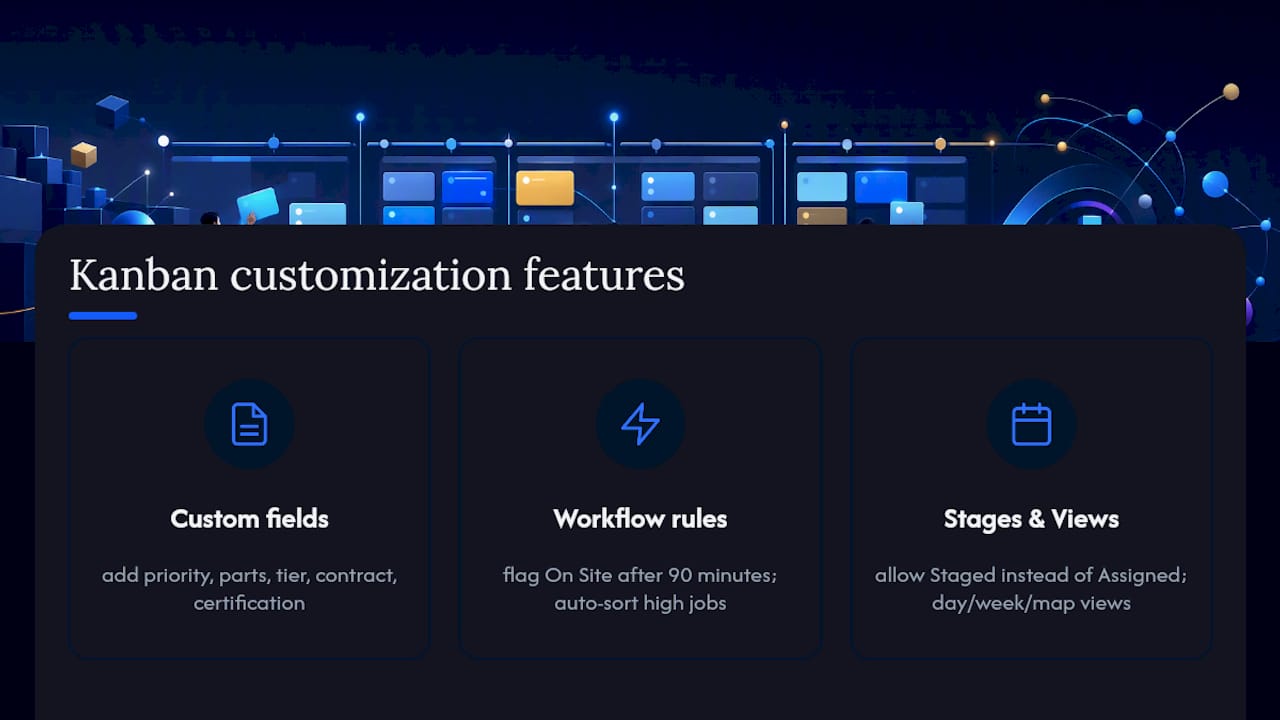
Conditional workflow rules: a card in the On Site column that hasn’t moved in 90 minutes should automatically flag as blocked. A job marked high-priority should auto-sort to the top of the Unassigned column. These rules reduce dispatcher workload during busy periods.
Custom column names and stage definitions: your operation may use “Staged” instead of “Assigned” or “Invoiced” as a post-completion stage. The board should reflect your language, not the vendor’s default.
Board views: day view for shift management, week view for capacity planning, and a map view that shows technician locations alongside the stage board. DispatchCore’s documentation confirms day/week/month views as a baseline expectation.
How should you set up user roles and permissions?
Role configuration is where most teams underinvest during setup, and it creates problems at scale. The role structure that works for most dispatch operations:
Dispatcher (full board access): can create, assign, reassign, and close cards. Can view all technician locations and job histories. Cannot access payroll or billing.
Technician (card-level access): can view and update their own assigned cards only. Can add notes, photos, and status changes. Cannot see other technicians’ jobs or customer payment data.
Operations manager (read-plus): full board visibility, reporting access, and the ability to modify WIP limits and column configurations. Cannot directly dispatch jobs during a live shift (this prevents managers from bypassing dispatcher judgment).
Admin: full system access including integrations, user management, and pricing/billing settings.
Confirm that role permissions are enforced at the API level, not just the UI. A technician with API access should not be able to pull another technician’s job data even through a direct API call.
How does a dispatch board scale as your fleet grows?
A board that works for five technicians often breaks at 25 without deliberate scaling decisions. The architectural choices that determine scalability:
Per-location boards vs. unified multi-location boards: for single-location operations, one board per shift is sufficient. For multi-location businesses, you need a parent dashboard that aggregates performance across boards without forcing dispatchers to switch between them constantly.
WIP limit recalibration: as you add technicians, WIP limits per stage need to scale proportionally. A limit of three jobs per technician in the Assigned column works at five technicians; at 20 technicians, the aggregate WIP limit for the column becomes the more useful control.
Data volume and board performance: confirm the vendor’s board performance at 200-plus active cards. Some platforms degrade noticeably above 50 cards per view, which becomes a problem during high-volume days.
Franchise and multi-location intelligence: Jobospro’s multi-location benchmarking lets franchise operators compare dispatch performance across locations, identifying which boards are running efficiently and which need intervention, without requiring a separate analytics tool.
What do dispatch board pricing models look like?
Pricing structures vary significantly across the vendor category, and the model you choose affects total cost as you scale.
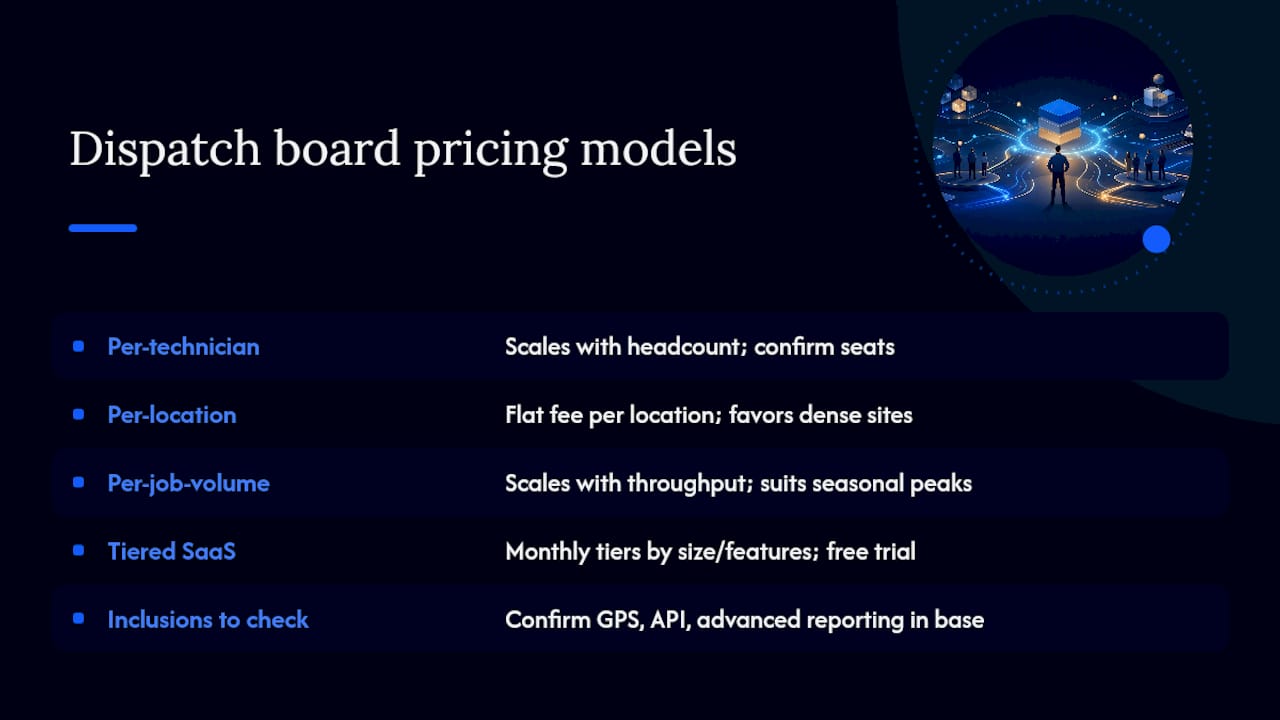
Per-technician pricing: the most common model for field service software. Costs scale directly with headcount, which is predictable but can become expensive for large fleets. Typical range in the U.S. market runs from entry-level field apps at lower per-seat rates to enterprise platforms with broader feature sets at higher ones. Confirm whether dispatchers count as seats.
Per-location pricing: common for franchise and multi-location operators. A flat fee per location regardless of technician count. Favorable for high-density locations with many technicians; less favorable for small locations.
Per-job-volume pricing: less common but used by some logistics-focused platforms. Costs scale with job throughput rather than headcount, which can be advantageous for seasonal businesses with variable staffing.
Tiered SaaS subscriptions: most AI-native platforms, including Jobospro, use tiered monthly subscriptions based on business size and feature access, with custom pricing for enterprise and franchise networks. A free trial is the standard entry point.
Always ask whether GPS/telematics integrations, API access, and advanced reporting are included in the base tier or gated behind higher plans. Those features are not optional for production dispatch.
What the conventional wisdom on kanban dispatch gets wrong
Most articles about kanban dispatch boards focus on the board itself. The real leverage is in what happens before a card moves: the assignment validation, the WIP discipline, and the dispatcher rotation that keeps the board honest.
The most common failure mode isn’t a bad tool choice. It’s a team that adds columns every time a new exception appears, turning a five-column board into a 14-column noise machine within 90 days. Every column you add beyond genuine waiting stages is a tax on dispatcher attention. The board should reflect your process, not document every possible job state.
The second failure mode is skipping the pilot structure. Teams that go live with all technicians on day one, no WIP limits, and no designated board owner almost always revert to spreadsheets within two weeks. The three-shift pilot with two to four technicians isn’t a nice-to-have. It’s how you build dispatcher confidence in the board before the stakes are high.
Scaling from a single-shift pilot to a multi-location rollout requires one additional discipline: standardize the column names and WIP limits before you expand. Boards that drift in naming conventions across locations make cross-location reporting meaningless. Lock the stage definitions at the pilot stage, document them, and enforce them as the standard before location two goes live.
Jobospro brings AI-native dispatch to your kanban board
If the evaluation checklist in this article describes what you need, Jobospro delivers it without requiring you to stitch together separate tools. The AI dispatch capabilities include live job cards with GPS telemetry, Max’s AI-assisted assignment validation, multi-location intelligence for franchise operators, and direct integrations with Jobber, QuickBooks, and your existing telematics provider.

The revenue-recovery layer sets Jobospro apart from standalone dispatch tools: missed calls, uncollected payments, and scheduling delays are tracked alongside dispatch performance, so your board data connects directly to revenue outcomes. Bring a sample day of jobs and your technician roster to your trial, and you’ll see AI dispatch suggestions working against real data from shift one. Start your free trial and run your first three-shift pilot with the setup this article outlines.
Sources
- Real-time Kanban Board | DispatchFleet
- Kanban Board | Fleetbase
- Kanban board template | Jira | Atlassian
- Free Kanban Templates - Kanban Frameworks | Miro