
Multi-Location Review Management: The 2026 Franchise Playbook
Multi-Location Review Management: The 2026 Franchise Playbook
Treat multi-location review management as a centralized process with local execution and clear SLAs. That single operating model, centralized visibility plus local responses under brand guardrails, is the fastest path to consistent ratings, faster response times, and measurable revenue recovery across every location you run. The first action is to centralize review ingestion into a single dashboard before you build anything else. Everything else, templates, roles, escalation, reporting, depends on that foundation.
Three program elements to adopt first:
- Centralized visibility: One inbox that pulls reviews from Google, Yelp, Facebook, and any vertical platform across all locations.
- Governance: A written response policy with tone rules, SLAs, and escalation triggers that every location follows.
- SLAs: Defined response windows by star rating (1–2 stars within 2 hours, 3 stars within 24 hours, 4–5 stars within 48 hours).
Key Takeaways
Effective multi-location review management requires centralized visibility, a written governance policy, defined SLAs, and a repeatable review request engine running across every location simultaneously.
| Point | Details |
|---|---|
| Centralize first | Aggregate all reviews into one inbox before building any other part of the program. |
| Define the hybrid model | Corporate owns policy and templates; local teams own speed and personalization. |
| SLAs by rating tier | 1–2 stars require a response within 2 hours; 4–5 stars within 48 hours. |
| Scorecard drives behavior | A monthly composite score with location rankings changes manager behavior faster than training alone. |
| Jobospro executes the playbook | AI-native routing, drafting, and multi-location benchmarking replace manual coordination across franchise networks. |
Table of Contents
- What makes multi-location review management so hard to scale?
- How should you split review responsibilities between HQ and local teams?
- How do you build a response policy that scales without sounding robotic?
- How do you build a repeatable review request engine across locations?
- What must your tech stack actually do for multi-location reputation management?
- How do you triage and route reviews when volume is high?
- What does a multi-location scorecard actually look like?
- How do you get franchise locations to actually adopt the program?
- What are the most common traps in multi-location review management?
- What ROI does this approach actually produce, and how does Jobospro help?
- The 90-day implementation playbook
- A practitioner’s perspective on what actually matters
- Jobospro turns this playbook into an operating system
- Sources
What makes multi-location review management so hard to scale?
The volume alone breaks most teams. A 20-location HVAC franchise generating just 15 reviews per location per month produces 300 reviews to monitor, triage, and respond to every single month. Per-location logins multiply that burden: a regional manager logging into 10 separate Google Business Profile accounts to check reviews is spending time on navigation, not on responses. That friction compounds until reviews go unanswered for days.
Split ownership between HQ and individual locations creates a second layer of friction. Corporate wants brand consistency. Location managers want speed and local relevance. Without a defined role matrix, both sides hesitate, and the review sits unanswered while the conversation happens internally.
There is also an AI visibility risk that most operators underestimate. Reviews are increasingly a local AI signal: freshness, volume, and response rate all influence how AI-driven local recommendations rank your locations. A location with stale, unaddressed reviews loses ground not just on star ratings but on the AI-curated results that now drive a growing share of local search traffic.
The operational consequences stack up fast:
- Lost local conversions when a 3.2-star location sits below a competitor with a 4.6
- Inconsistent brand voice when location managers write responses without a policy
- Undetected trends, a recurring complaint about a specific technician or billing error, that no one sees because reviews are siloed by location
Pro Tip: Set up a weekly automated digest that surfaces the five lowest-rated reviews across all locations. That single report catches systemic problems before they become a PR issue.
A Forrester study on customer experience documents a measurable link between customer experience quality and revenue performance, which means every unanswered negative review is a quantifiable revenue risk, not just a reputation inconvenience.
How should you split review responsibilities between HQ and local teams?
The hybrid model consistently outperforms both fully centralized and fully decentralized approaches. Corporate owns the strategy, the templates, and the escalation triggers. Local teams own the personalization and the speed. That division works because it plays to each side’s strengths.
Role matrix:
- HQ / Corporate Marketing: Owns the response policy, template library, escalation protocols, platform configuration, and monthly reporting. Posts responses only when a location fails to meet SLA or when a crisis-level review requires brand-level intervention.
- Regional Manager: Monitors location-level dashboards for their territory, coaches underperforming locations, escalates unresolved issues to HQ, and reviews weekly performance summaries.
- Location Manager: Responds to all reviews within the defined SLA window using approved templates as a starting point. Personalizes the response with specific job details. Flags reviews that require escalation (legal threats, health and safety mentions, media attention).
SLA examples by rating:
- 1–2 stars: Initial response within 2 hours, offline resolution attempt within 24 hours
- 3 stars: Response within 24 hours
- 4–5 stars: Response within 48 hours
Escalation triggers that should route a review to regional or HQ immediately:
- Any mention of injury, illness, or property damage
- Legal language (“attorney,” “lawsuit,” “BBB complaint”)
- Media or influencer accounts
- A pattern of three or more identical complaints at one location within 30 days
Pro Tip: Give location managers a “respond or escalate” rule: if they can personalize a template response in under five minutes, they post it. If the review requires investigation or involves an escalation trigger, they flag it and do not respond until regional or HQ clears the language.
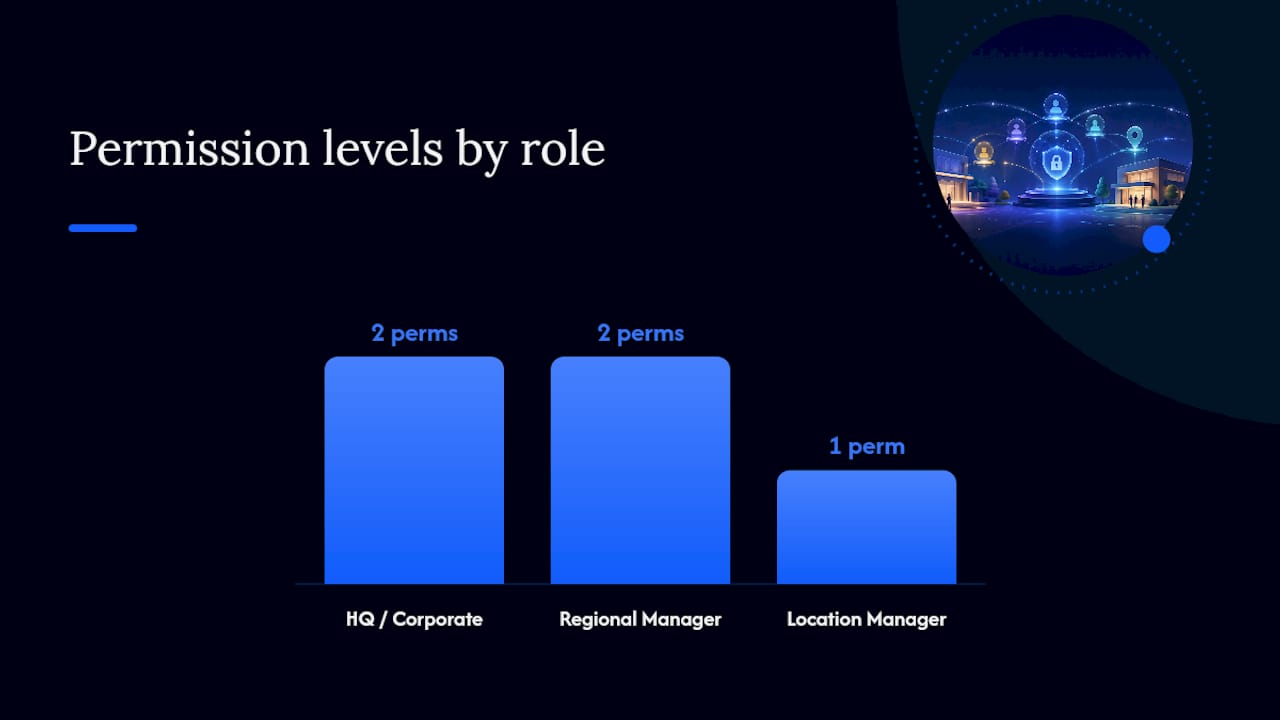
Permissioning matters here. Location managers should have post access for their own location only. Regional managers get read access across their territory and post access for escalated reviews. HQ holds admin rights, including the ability to edit or remove a posted response that violates policy.
How do you build a response policy that scales without sounding robotic?
A unified response policy is the document that makes the hybrid model work. Without it, every location invents its own voice, and the brand fractures across hundreds of public conversations.
Core policy elements to define:
- Tone: Professional, warm, and specific. Never defensive. Never generic (“We value your feedback” with nothing else).
- Required fields in every response: Customer’s first name, a specific reference to the service or job type, and a direct contact method for follow-up.
- Prohibited language: Discount offers in public responses, admission of fault before an investigation, competitor mentions, and legal disclaimers.
- Personalization rules: Location managers must add at least one job-specific detail. A response that could apply to any customer at any location fails the policy.
Approval workflow: For 4–5 star reviews, location managers post directly using templates. For 3-star reviews, they draft and post within 24 hours, with regional review optional. For 1–2 star reviews, the location manager drafts a response, regional approves within 4 hours, and HQ is notified. If the location misses the 2-hour initial response SLA, HQ posts a holding response (“We’re looking into this and will reach out directly within 24 hours”) and notifies the location.
Template examples:
- Positive praise: “Thanks, [Name]! We’re glad [technician name or service type] hit the mark. We’ll pass your kind words along to the team. See you next time.”
- Minor complaint: “[Name], we hear you and we’re sorry [specific issue] didn’t meet your expectations. Please call us at [number] so we can make it right.”
- Service failure: “[Name], this is not the experience we want for any customer. Our [regional/operations] team will reach out to you directly within 24 hours.”
- Escalation to offline: “[Name], we take this seriously. Our team will contact you directly today. Please don’t hesitate to reach us at [number] in the meantime.”
For converting difficult reviews into recoverable outcomes, Jobospro’s complaint-to-5-star guide offers a practical template library built specifically for home service operators.
A repeatable 24–48 hour response protocol with templates for common scenarios dramatically increases both response rates and brand consistency across locations — the two metrics that most directly predict whether a review program produces measurable business outcomes.
Policy audit checklist (run quarterly):
- Are all responses using the required fields?
- Are any responses copy-pasted without personalization?
- Are SLAs being met by location and by rating tier?
- Are escalation triggers being flagged correctly, or are location managers responding to crisis reviews without approval?
Pro Tip: Pull a random sample of 20 responses per quarter, 5 per rating tier, and score them against the policy. That audit takes 30 minutes and surfaces training gaps faster than any dashboard metric.
How do you build a repeatable review request engine across locations?
Consistent review volume is not an accident. It is a process. The locations that generate 50+ reviews per month are running a request engine, not hoping customers volunteer feedback.
Core channels and when to trigger requests:
- SMS post-job: Send within 2 hours of job completion. Keep the message under 160 characters with a direct link to the review platform. This channel typically produces the highest conversion rate because the experience is fresh.
- Email follow-up: Send 24 hours after job completion for customers who did not respond to SMS. Include the technician’s name and job summary to personalize.
- On-receipt QR code: Print a QR code on every invoice or receipt that links directly to the Google review page. Zero friction for in-person transactions.
- Post-job automated flow: Integrate the request trigger with your field service management (FSM) tool so the request fires automatically when a job is marked complete, not when someone remembers to send it.
- Loyalty and membership touchpoints: Include a review request in the quarterly membership renewal email for customers on service agreements.
Pro Tip: Never ask for a review in the same message where you present the invoice. Separate the billing moment from the feedback moment by at least 2 hours. Customers who feel the transaction is complete are far more likely to leave a positive review than customers who are still processing the cost.
For a tactical breakdown of hitting 100 Google reviews in 90 days, Jobospro’s Google reviews guide covers the exact cadence and messaging constraints that work for home service businesses.
Setting location targets:
- Locations with fewer than 50 reviews: Target 15–20 new reviews per month until the baseline is established.
- Locations with 50–200 reviews: Target 10–15 per month to maintain freshness and volume signals.
- Locations with 200+ reviews: Target 8–10 per month; focus shifts to response quality and sentiment.
Ramp expectations matter. A new location running a request engine for the first time typically sees meaningful volume growth within 60–90 days, not 30. Set that expectation with location managers upfront so they do not abandon the process before it compounds.
Policy compliance guardrail: Never incentivize reviews with discounts, gifts, or conditional rewards. Google’s review policies prohibit it, and the FTC requires disclosure for any compensated endorsement. Train location managers on this explicitly during onboarding.
What must your tech stack actually do for multi-location reputation management?
The right local business review software does more than aggregate reviews. It gives you the operational controls to run the hybrid model at scale without adding headcount.
Required capabilities:
- Centralized inbox: All reviews from all platforms, all locations, in one feed with filtering by location, platform, rating, and response status.
- Location permissioning: Role-based access so location managers see only their location, regional managers see their territory, and HQ sees everything.
- Automation rules by rating: Auto-acknowledge 5-star reviews with a draft response queued for human approval; route 1–2 star reviews directly to the escalation queue with an alert.
- Location-level reporting and benchmarking: Each location’s rating, volume, response rate, and response time compared against the brand average and peer locations.
- Sentiment analytics: Keyword and theme tracking across all reviews so you can spot a recurring complaint (billing errors, wait times, a specific technician) before it becomes a pattern.
- CRM, FSM, and accounting integrations: Pull job data, customer history, and invoice status into the review context so responders have the full picture without switching tools.
Integration examples that matter in practice:
When a 1-star review arrives and the platform can surface the customer’s job record from your FSM tool (Jobber, ServiceTitan, or similar), the responder immediately knows what was done, who did it, and whether there was a billing dispute. That context cuts response time and improves the quality of the resolution. Connecting your accounting system closes the loop further: if a refund was issued, the responder knows the issue was already remediated.

How AI features should work in your stack:
AI draft suggestions are most valuable for high-confidence positive reviews (4–5 stars with no specific complaint). The AI generates a personalized draft; the location manager reviews and posts in under 60 seconds. For lower-rated reviews, AI should surface relevant job data and suggest a tone, but a human should write the response. Bulk AI replies for 5-star reviews with no text content (“Great service!”) are acceptable when the draft is reviewed by a regional manager before posting.
Evaluation checklist for vendor demos:
- Can you filter the inbox by location, rating, and response status simultaneously?
- Does the platform support role-based permissions at the location level?
- Can automation rules be set differently by rating tier?
- Does the reporting dashboard show location-level benchmarking against the brand average?
- What CRM and FSM integrations are available natively?
- Does the mobile app support full response functionality, not just read-only access?
Pro Tip: During any vendor demo, ask to see the escalation routing in real time. If the platform cannot show you how a 1-star review triggers an alert, routes to the right person, and logs the resolution, the workflow will break down in production.
How do you triage and route reviews when volume is high?
A 43-location dealer reduced average response time to under 16 hours across all locations by combining automation with centralized workflows. The key was a triage system that sorted reviews by severity before any human touched them.
Triage checklist (automated, runs on ingestion):
- Rating: 1–2 stars go to escalation queue; 3 stars go to standard queue; 4–5 stars go to auto-draft queue.
- Keywords: Flagged terms (injury, lawsuit, refund, never again, health department) trigger immediate HQ alert regardless of rating.
- Velocity: Three or more reviews from the same location within 24 hours trigger a regional alert.
- VIP customers: Reviews from customers tagged as high-value or on service agreements route to the regional manager directly.
Step-by-step routing workflow:
- Review ingested into central inbox and scored by triage rules.
- 4–5 star, no flagged keywords: AI draft generated, queued for location manager approval.
- 3-star: Assigned to location manager with 24-hour SLA clock started.
- 1–2 star, no escalation keywords: Assigned to location manager with 2-hour SLA; regional manager notified.
- 1–2 star with escalation keywords: Routed directly to regional manager and HQ; 2-hour SLA; location manager locked out of responding until cleared.
- SLA breach (any tier): Automatic escalation to the next level up; HQ posts holding response if 1–2 star.
When to move a review offline:
Convert a public review to an offline remediation workflow when the customer mentions a specific dollar amount they want refunded, when the issue involves a third party (insurance, subcontractor), or when the conversation has gone more than two public exchanges without resolution. The public response should close with a direct contact method and a clear statement that the team is reaching out directly.
Pro Tip: *Build your SLA clock into the platform, not a spreadsheet. When SLA adherence is tracked manually, it degrades within 30 days.
What does a multi-location scorecard actually look like?
Multi-location reporting requires hierarchical aggregation, consistent metric definitions, and near-real-time data to be operationally useful. A scorecard built on inconsistent definitions, one location counting only Google reviews while another counts all platforms, produces comparisons that mislead rather than inform.
Core KPIs for every location:
| KPI | Definition | Target |
|---|---|---|
| Average rating | Mean star rating across all platforms, all time | 4.5+ |
| Review volume (monthly) | New reviews received in the calendar month | 10+ per location |
| Response rate | Percentage of reviews with a posted response | 95%+ |
| Median response time | Median hours from review posted to response posted | Under 24 hours |
| Sentiment trend | Net change in positive vs. negative keyword mentions, month over month | Positive |
| Location rank vs. brand average | Location’s composite score relative to the network mean | At or above mean |
Composite location score (suggested weighting):
- Average rating: 40%
- Response rate: 25%
- Median response time: 20%
- Review volume trend: 15%
Standardized definitions and centralized controls are what make cross-location comparison meaningful. The same principle that applies to multi-location accounting, consistent chart of accounts, consistent close cadence, applies directly to reputation metrics: if locations measure differently, the scorecard is noise.
Reporting cadence:
- Daily: Automated alerts for SLA breaches, escalation triggers, and locations with a rating drop of 0.2 or more in 7 days.
- Weekly: Operations summary for regional managers showing each location’s response rate, volume, and open escalations.
- Monthly: Executive rollup with composite scores, network average, top and bottom five locations, and trend lines.
Use the monthly scorecard to drive location-level coaching. A location manager whose composite score drops two months in a row gets a structured review session with their regional manager.
Pro Tip: Publish the monthly scorecard to all location managers, not just leadership. Transparency about relative performance creates accountability without requiring a single additional conversation.
How do you get franchise locations to actually adopt the program?
Change management is where most review programs stall. Adoption requires a structured onboarding, ongoing training, and incentives that make compliance the path of least resistance.
Onboarding checklist for each new location:
- Claim and verify all review platform profiles (Google Business Profile, Yelp, Facebook, industry-specific directories).
- Connect profiles to the central platform and configure location-level permissions.
- Load the approved template library into the platform.
- Set up notification preferences for the location manager (SMS alert for 1–2 star reviews, daily digest for all others).
- Complete a 60-minute onboarding session covering the response policy, SLA expectations, and escalation triggers.
- Run a live practice response with the location manager before go-live.
Training timeline:
- Week 1: Live onboarding session (60 minutes) covering platform navigation, policy, and SLAs.
- Month 1: Weekly 15-minute check-in with regional manager to review response quality and address questions.
- Quarterly: Refresher session covering policy updates, new templates, and scorecard performance review.
Incentive structures that work:
- Monthly leaderboard published to all location managers showing composite scores; top three locations recognized in the company newsletter.
- Performance bonus tied to composite score: locations that maintain a 4.5+ average rating and 95%+ response rate for a full quarter receive a defined operational bonus.
- Regional manager compensation includes a network-average composite score component, which aligns their incentive with location-level adoption.
Scorecards and leaderboards create healthy competition between locations and make performance coaching concrete rather than subjective.
Audit points (run monthly for the first 6 months, quarterly after):
- Are all location profiles claimed and connected?
- Are SLAs being met consistently?
- Are responses personalized or copy-pasted?
- Are escalation triggers being flagged correctly?
Pro Tip: Pair the leaderboard with a “most improved” recognition category. Locations that are already at the top have less motivation to push further; locations climbing from the bottom need visible recognition to sustain momentum.
What are the most common traps in multi-location review management?
Over-automation: Using AI to post responses without human review on anything below a 4-star rating. Automated responses to complaints read as dismissive and often make the situation worse. Reserve full automation for 5-star reviews with no text content only.
One-size-fits-all templates: A template that works for an HVAC franchise in Phoenix sounds wrong for a landscaping franchise in Vermont. Templates should have a shared structure but allow for regional language, seasonal references, and service-specific details.
Decentralized access: Letting location managers manage their own Google Business Profile logins independently means HQ has no visibility into profile changes, duplicate listings, or unauthorized edits. Centralize profile ownership at the HQ level and grant location managers limited access through the reputation platform.
Ignoring negative review patterns: A single 1-star review about a billing error is a customer complaint. Five 1-star reviews about billing errors at the same location in 60 days is an operational problem. The scorecard and sentiment analytics exist to surface these patterns; act on them.
Duplicate listings: A location with two Google Business Profile listings splits its review volume and confuses customers. Audit for duplicates during onboarding and request removal through Google’s support process immediately.
Pro Tip: Run a duplicate listing audit across all locations before you launch the program. Duplicate listings are one of the most common sources of “missing” reviews, where customers leave feedback that never shows up in your central dashboard because it lands on an unclaimed or duplicate profile.
One policy change that closes the most common failure modes: require HQ-level ownership of all review platform profiles, with location managers operating through the central platform rather than directly. That single control eliminates unauthorized edits, duplicate listings, and access gaps in one step.
What ROI does this approach actually produce, and how does Jobospro help?
The revenue case for review management is direct. Forrester’s research establishes a measurable link between customer experience quality and revenue performance. For home service franchises, where a single lost customer represents years of recurring service revenue, the math on unanswered negative reviews is straightforward: every unresolved complaint that drives a customer away is a compounding revenue loss, not a one-time transaction.
Jobospro’s internal data, drawn from a $2.3 billion revenue leak study, shows that home service businesses lose significant revenue through operational gaps that include poor customer communication and unmanaged reputation. Review management is one of the highest-leverage recovery levers because it operates on existing customers and existing revenue, not new acquisition spend.
The franchise review management playbook that produces the best outcomes is not the most automated one. It is the one where corporate sets the guardrails and local teams execute with speed and authenticity — a hybrid model that scales without sacrificing the personal touch that drives repeat business in home services.
Jobospro feature-to-playbook mapping:
| Playbook Problem | Jobospro Capability |
|---|---|
| No centralized review visibility | Multi-location inbox aggregating all platforms |
| Slow response times | AI draft suggestions queued for one-click approval |
| No location benchmarking | Multi-location intelligence dashboard with composite scores |
| Disconnected job context | Native integrations with Jobber, QuickBooks, and FSM tools |
| Inconsistent escalation routing | Automated alert and routing rules by rating and keyword |
| No network-level reporting | Franchise network intelligence with hierarchical rollups |
Jobospro’s AI Agents handle the routing, drafting, and alerting that would otherwise require a dedicated reputation management coordinator. For franchise networks running 10 to 200+ locations, that automation is the difference between a program that scales and one that collapses under volume.
The 90-day implementation playbook
Phase 1: Prepare (Weeks 1–4)
- Audit all existing review platform profiles across every location; identify unclaimed profiles and duplicates.
- Select and configure your reputation management platform; set up role-based permissions.
- Write the response policy, template library, and escalation protocol.
- Define the scorecard KPIs and reporting cadence.
- Build the onboarding training materials and schedule sessions for all location managers.
Phase 2: Pilot (Weeks 5–8)
- Launch with a pilot cohort of 3–5 locations representing different performance levels.
- Run weekly check-ins with pilot location managers to collect friction points.
- Measure SLA adherence, response rate, and composite score weekly.
- Refine templates and escalation rules based on real review data from the pilot.
- Document lessons learned and update the training materials before full rollout.
Phase 3: Scale (Weeks 9–12)
- Roll out to all remaining locations in batches of 10–15 per week.
- Publish the first network-wide scorecard at the end of Week 10.
- Launch the leaderboard and recognition program.
- Conduct the first quarterly audit at Day 90.
Phase and deliverables overview:
| Phase | Owner | Key Deliverable | Go/No-Go Gate |
|---|---|---|---|
| Prepare | HQ Marketing | Policy, templates, platform configured | All profiles claimed; platform live |
| Pilot | Regional Managers | Pilot scorecard; refined templates | 90%+ response rate in pilot locations |
| Scale | HQ + Regional | Full network scorecard; leaderboard live | All locations onboarded and active |
Communication plan:
- Week 1: Leadership briefing on program goals, KPIs, and 90-day timeline.
- Week 4: Pre-launch update to all location managers with training schedule.
- Week 8: Pilot results summary to leadership with go/no-go recommendation.
- Week 12: Full program launch announcement with first network scorecard.
For a broader operational playbook covering multi-location management beyond reviews, Jobospro’s multi-location playbook covers the full operational model for running multiple locations without adding management headcount.
A practitioner’s perspective on what actually matters
The hardest trade-off in this program is speed versus consistency. Every operator wants both: fast responses that still sound human and on-brand. In practice, the locations that hit both are the ones that invested the most time in their template library upfront, not in their automation settings. A well-written template that a location manager can personalize in 90 seconds beats an AI-generated response that sounds like it came from a call center.
Three things experienced practitioners wish they had known earlier:
- The escalation protocol matters more than the response template. Most review crises are not caused by a bad review. They are caused by a delayed or tone-deaf response to a bad review. Getting the escalation routing right in the first 30 days prevents the situations that actually damage brands.
- Sentiment analytics are underused. Most teams look at star ratings. The operators who catch problems early are reading the keyword trends, specifically the themes that appear in 3-star reviews, which are the reviews most likely to convert to 1-star if the underlying issue is not fixed.
- The scorecard changes behavior faster than any training session. When location managers see their composite score next to their peers’ scores every month, they ask questions they never asked before: “Why is my response time slower?” “What are they doing to get more reviews?” The data creates the coaching conversation; you do not have to force it.
Incremental wins compound. A location that goes from a 3.8 to a 4.2 average rating in 90 days does not need a perfect program. Start there.
Jobospro turns this playbook into an operating system
Running a franchise operations platform that actually executes the playbook above, rather than just reporting on it, is where most operators lose time. Jobospro is built for exactly this: an AI-native platform that connects your review management, dispatch, invoicing, and customer communication into one operating system for home service networks.

Where other tools give you a dashboard, Jobospro gives you execution. The platform’s AI Agents draft responses, route escalations, and surface location-level anomalies automatically, so your team acts on what matters instead of monitoring feeds. Multi-location benchmarking is built in, not bolted on, and native integrations with Jobber and QuickBooks mean your responders have full job context before they type a single word.
- Central inbox: All reviews, all platforms, all locations in one place.
- AI response drafts: One-click approval for high-confidence positive reviews; flagged routing for anything below 3 stars.
- Multi-location intelligence: Composite scores, location rankings, and trend alerts without manual reporting.
- Native integrations: Job history, customer records, and invoice status available in the review context.
- Franchise permissioning: Location managers see their location; regional managers see their territory; HQ sees everything.
Start your free trial or explore the franchise platform to see how Jobospro maps to your network’s specific review management gaps.
Sources
- The Revenue Impact Of Customer Experience (Forrester)
- Multi-Location Review Management: A Guide for Growing …
- Franchise Review Management: The Multi-Location Playbook That Scales
- Multi-Location Reporting: How to See Every Location’s Performance in One Place