Same Day Invoicing With AI Helps Home Services Recover Missed Payments
Same Day Invoicing With AI Helps Home Services Recover Missed Payments
Recover missed payments by fixing the sequence that creates them: invoice the same day the job closes, collect on-site whenever possible, and let an automated multi-touch sequence chase what’s left. Do those three things and most home-service businesses see a measurable swing in cash flow within a billing cycle. Platforms exist that run this sequence without adding staff hours.
TL;DR:
- Automated multi-touch overdue sequences, triggered by the job’s completion, significantly improve collection rates and reduce days-to-payment.
- Connecting job closure directly to invoicing and offering multiple payment options can cut average payment days from around 27 to 8 to 12 days.
- Tracking key metrics weekly, especially DSO and aging brackets, helps identify small leaks early and measure system effectiveness within 30 days.
- Automating collection processes with AI platforms enables standardized, efficient revenue recovery across multiple locations without extra staff.
Table of Contents
- A 7-Step Checklist to Recover Missed Payments This Week
- How Do You Automate Field Collection and Overdue Messaging?
- When Should You Escalate a Late Payer to Manual Collection?
- What KPIs Show You’re Actually Recovering Revenue?
- Rolling Out the System: Scripts, Terms, and Team Training
- Why Standardized Recovery Matters More at Franchise Scale
- Put This System on Autopilot With JobOS Pro
- Sources
- FAQ
A 7-Step Checklist to Recover Missed Payments This Week
You don’t need a new finance department to fix late payments. You need a short list of habits enforced consistently, starting with the invoice that should have gone out an hour ago.
- Invoice same-day, or within 24 hours at the outside. Field-service data shows invoices sent within 24 hours of job completion get paid about 1.5 times faster than ones sent a week later.
- Collect deposits at booking, or card-on-file for larger jobs. For most residential calls, collect payment at completion rather than invoicing after the fact.
- Turn on SMS one-tap payment links alongside card and ACH options so customers can pay from the truck’s text message, not a mailed statement.
- Activate a 3 to 4 touch automated overdue sequence with conditional branching that stops the moment payment clears.
- Tag chronic late payers in your CRM and route them differently than first-time slow payers.
- Monitor DSO and aging brackets weekly, not quarterly, so a leak shows up while it’s still small.
- Run a 30 to 45 day ROI check on whatever you change, comparing days-to-payment before and after.
Work this list in order. Same-day invoicing alone fixes more of the problem than most owners expect, but it only holds if the collection steps behind it are just as consistent.
How Do You Automate Field Collection and Overdue Messaging?
The mechanics matter more than the motivation here. Most missed payments aren’t the result of customers refusing to pay. They’re the result of invoices that went out late, sat in an inbox, and never got a follow-up because someone forgot.
Connect the job-close event to the invoice automatically. When a technician marks a job complete in your field service management tool, that action should trigger invoice generation and sync it to your accounting system without anyone touching a keyboard. This single link is what separates AI-native platforms from a stack of disconnected apps: the invoice exists before the technician has left the driveway.
Build the technician’s same-day workflow around three actions:
- Photos of completed work attached directly to the job record
- An itemized invoice generated from the job’s line items, not typed from memory
- Immediate send to the customer’s phone, not a batch process run at end of day
Give customers more than one way to pay. Card readers handle on-site collection. Card-on-file covers repeat customers and recurring service. ACH suits larger commercial invoices. Apple Pay and SMS payment links close the gap for customers who want to pay from their phone in under a minute. AI-driven invoicing and one-tap payment links can cut average days-to-payment from roughly 27 days to 8 to 12 days when the channel matches how the customer wants to pay.
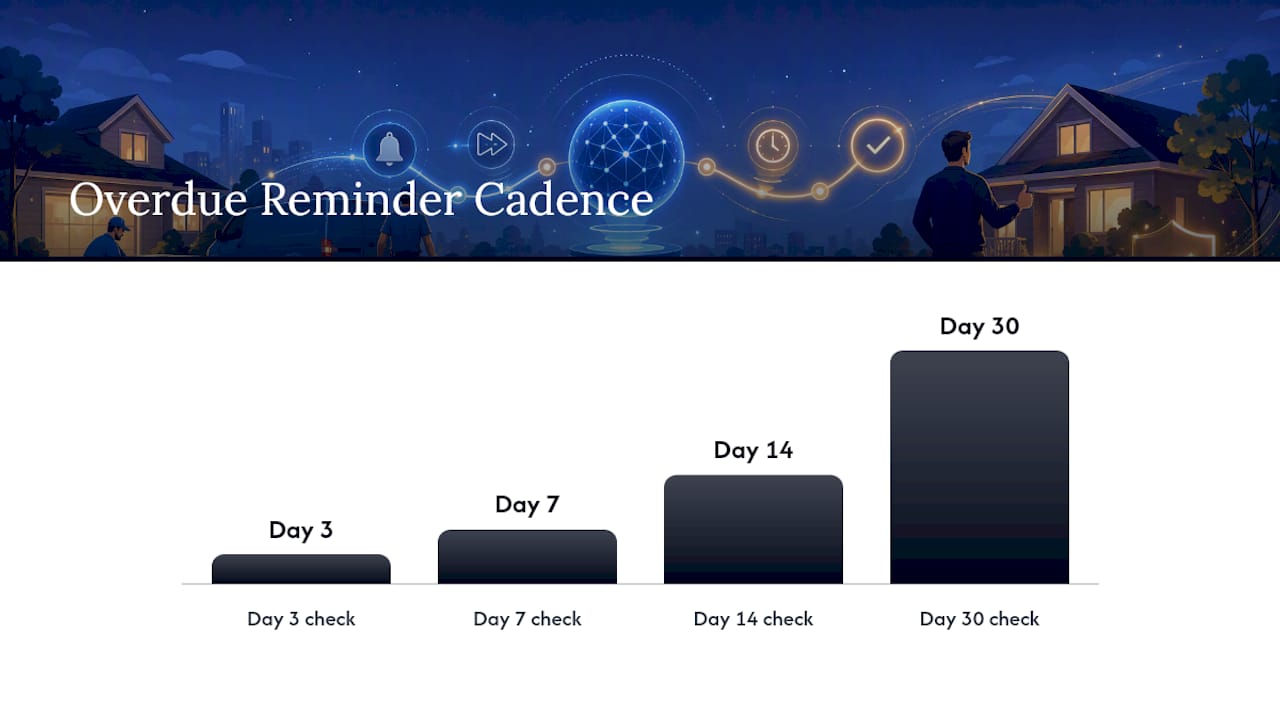
Design the overdue sequence with restraint. A typical effective cadence runs a friendly reminder at day 3, a firmer nudge with the payment link restated at day 7, a call-to-action text at day 14, and a final notice before escalation at day 30. Tone should shift from neutral to direct without ever becoming aggressive, and the sequence must suppress itself the instant payment posts. Nothing damages a customer relationship faster than a threatening text arriving after they already paid.
Flag disputes before they escalate. Any invoice a customer questions should route to a human for review, not continue down the automated sequence. Automated collection works because it’s consistent, but consistency applied to a legitimate billing error just creates a customer service crisis.
Pro Tip: Set your overdue sequence to check payment status before every single send, not once at the start. A customer who pays between touch two and touch three should never receive touch three.
When Should You Escalate a Late Payer to Manual Collection?
Automation should handle the majority of your overdue accounts. Manual effort belongs on the small number of accounts that pose real risk, and you need clear rules for telling the two apart.
- Segment accounts by payment history and tag anyone with two or more late payments in six months as a chronic late payer requiring manual review at day 7 instead of day 14.
- Follow a simple escalation timeline: automated reminder at day 3, second automated touch with a live payment link at day 7, a personal call from your office at day 14, and a written final notice with a stated deadline at day 30.
- Pause future work for repeat offenders until the outstanding balance clears, especially for recurring service customers who might otherwise book another job with an unpaid invoice still open.
- Reserve small claims for accounts that clear a practical threshold, typically balances that justify the filing fee and time, more common on commercial accounts than one-off residential jobs.
- Get real legal guidance before filing anything. Collection law varies by state and by contract terms, so treat this timeline as an operating rhythm, not legal advice.
What KPIs Show You’re Actually Recovering Revenue?
Four numbers tell you whether your recovery system works: Days Sales Outstanding (DSO), aging brackets (current, 30, 60, 90-plus days), recovery rate on past-due invoices, and write-off rate. Track them weekly, not quarterly.
Automated overdue sequences recover a materially higher share of past-due invoices than manual follow-up, and automation payback for invoicing systems is typically seen within 30 to 75 days.
Calculate incremental recovered revenue by comparing the dollar amount collected in each aging bracket before and after you implement automation, then annualize the monthly difference. Month one usually shows the DSO drop first, since same-day invoicing shortens the front end of the cycle immediately. Months two and three show the overdue sequence’s effect on the tail. Shortening the cash conversion cycle frees up cash you can put back into hiring technicians or running ads, which is the real payoff behind the dashboard numbers. A successful pilot looks like a 20 to 30 percent drop in average DSO within the first quarter. It is tracked against a dashboard you check daily during rollout and weekly once it stabilizes.
Rolling Out the System: Scripts, Terms, and Team Training
Getting this running takes a short punch list, not a quarter-long project.
- Assign clear ownership: one person owns invoice timing, one owns the overdue sequence, and technicians own photo documentation at job close.
- Configure the tech stack: card readers paired to the field app, an SMS gateway for payment links, suppression rules that kill a sequence on payment, and a live sync to your accounting software.
- Pilot on one crew or one location for 30 days before rolling out network-wide, measuring DSO and recovery rate as your success metrics.
- Standardize your terms: collect at completion for residential work, net 15 or net 30 for commercial accounts with established relationships.
A short SMS script works better than a long one: “Hi [Name], your invoice for [Service] is ready. Pay in one tap here: [link]. Thanks for choosing us.” Pro Tip: Attach the itemized invoice and job photos to every send. Disputes drop sharply when the customer can see exactly what they’re paying for without calling to ask.
Why Standardized Recovery Matters More at Franchise Scale
Individual owners can fix invoicing habits with willpower for a while. Franchise networks can’t, because ten locations mean ten different interpretations of “invoice promptly.” Tarun’s read on this, drawn from years of writing about operational systems in home service, is that the businesses winning the collections game aren’t the ones with the best intentions. They’re the ones that removed the decision from the technician entirely.
That’s the core argument behind JobOS Pro’s multi-location intelligence: it lets corporate leadership see which locations invoice same-day and which lag, then standardize the behavior that works. JobOS Pro’s internal revenue-leak study covering $2.3 billion in home-service transactions found the pattern repeats at scale. The locations closing revenue leaks fastest are the ones running the same automated sequence everywhere, not the ones hoping every branch manager cares as much as the owner does.
— Tarun
Put This System on Autopilot With JobOS Pro
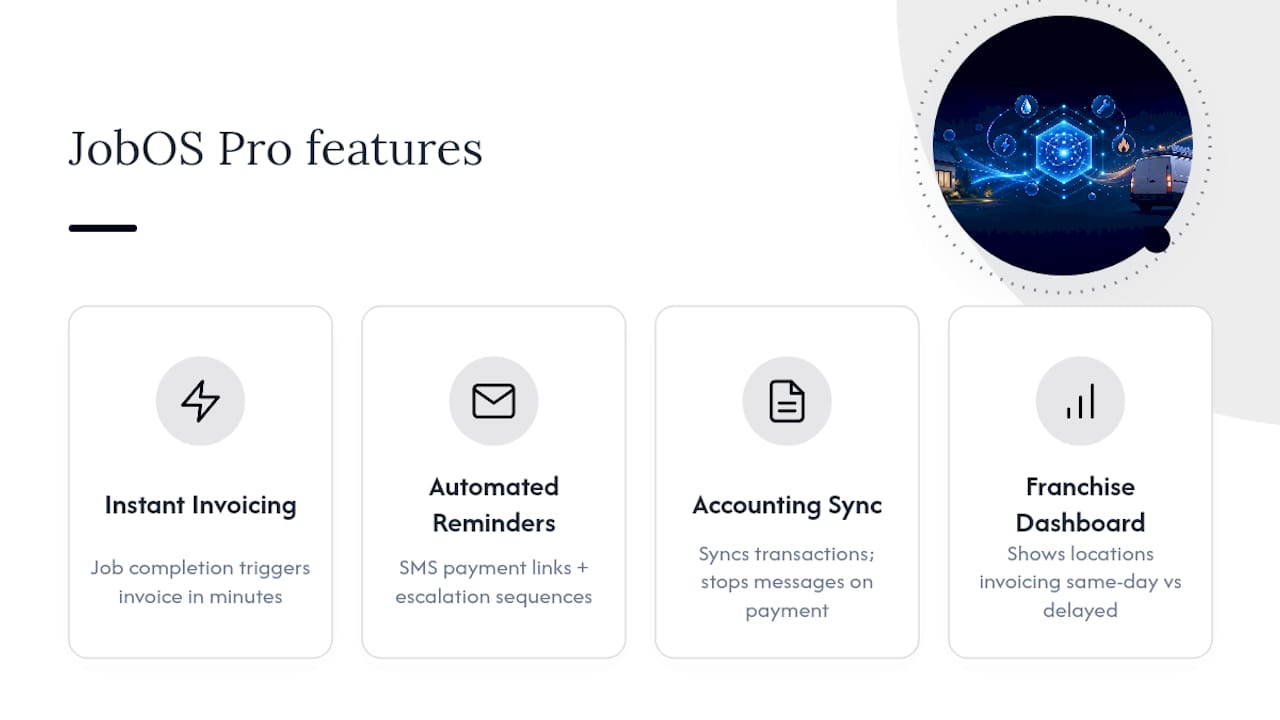
Some AI-native platforms exist to run everything in this checklist without hiring a full-time collections coordinator. It connects to your field service tool so a completed job triggers an invoice within minutes, not at end of day, and it fires SMS payment links automatically instead of relying on someone remembering to send a text.

Some platforms offer automated overdue sequences applying escalation logic, tagging chronic late payers and suppressing messages the moment payment clears, while syncing transactions back to accounting software. Franchise operators get an added layer: a multi-location dashboard that shows which locations are invoicing same-day and which are bleeding cash on delayed billing, so corporate can standardize the behavior instead of guessing at it. If your business runs recurring service work, pairing this with a stronger service agreement strategy cuts the number of missed payments before they happen at all.
Ready to see it running against your own numbers? Book a demo and bring your last quarter’s aging report. JobOS Pro will show you exactly where the leak is and what a 30-day fix looks like.
Sources
For deeper detail on the practices covered here, see Swivl’s field-service invoicing research on same-day billing speed, US Tech Automations’ ROI analysis on automated recovery rates and payback timelines, and The AI Department’s breakdown of AI-driven days-to-payment improvements. For a broader look at how small businesses measure AI tool ROI, see AmmarAI’s analysis. For hands-on templates, JobOS Pro’s guide to collecting unpaid invoices walks through the workflows in more depth.
- How Home Service Businesses Get Paid Faster | Field Service Invoicing | Swivl
- Home Service Invoicing Automation ROI Analysis 2026
- AI Automated Invoicing for Home Service Businesses: Stop Chasing Payments in 2026 | The AI Department
- Cash flow management for HVAC and plumbing contractors | Invoice strategy
FAQ
How Do You Recover Missed Payments From Customers?
Invoice same-day, offer on-site or one-tap payment options, and run an automated 3 to 4 touch overdue sequence that escalates in tone and stops the moment payment posts.
How Long Does It Take to See Results From Payment Recovery Automation?
Most operators see measurable DSO improvement within 30 to 75 days of implementing automated invoicing and overdue sequences.
When Should I Escalate a Late Payer Instead of Automating Further?
Escalate to a personal call around day 14 and a written final notice at day 30, and consider small claims for balances that clear a practical filing threshold, more common on commercial accounts.
Can AI Tools Actually Reduce Days-to-Payment?
Yes. AI-driven invoicing and payment links have been shown to cut average days-to-payment from around 27 days to roughly 8 to 12 days when the payment channel matches customer preference.
Does JobOS Pro Handle Payment Recovery Automatically?
Certain platforms connect job-close events to automatic invoicing, run SMS payment links, and manage overdue sequences with conditional branching, providing franchise operators a dashboard to standardize collections across locations.