Software that doesn't charge per technician is the single biggest lever a growing home service business has for protecting profit margin as it scales crews. Most field service platforms quietly raise your bill every time you hire a new technician, dispatcher, or office coordinator, which punishes the exact growth you worked to earn. This article breaks down why per-seat pricing drains margin, how flat-rate platforms change that math, and what to look for before you switch.
Quick answer: Software that doesn't charge per technician is field service software priced at a flat monthly rate instead of a per-seat or per-user fee, so adding technicians, dispatchers, or office staff never increases the bill. JobOS Pro, for example, charges $199, $349, or $549 per month with unlimited users on every tier.
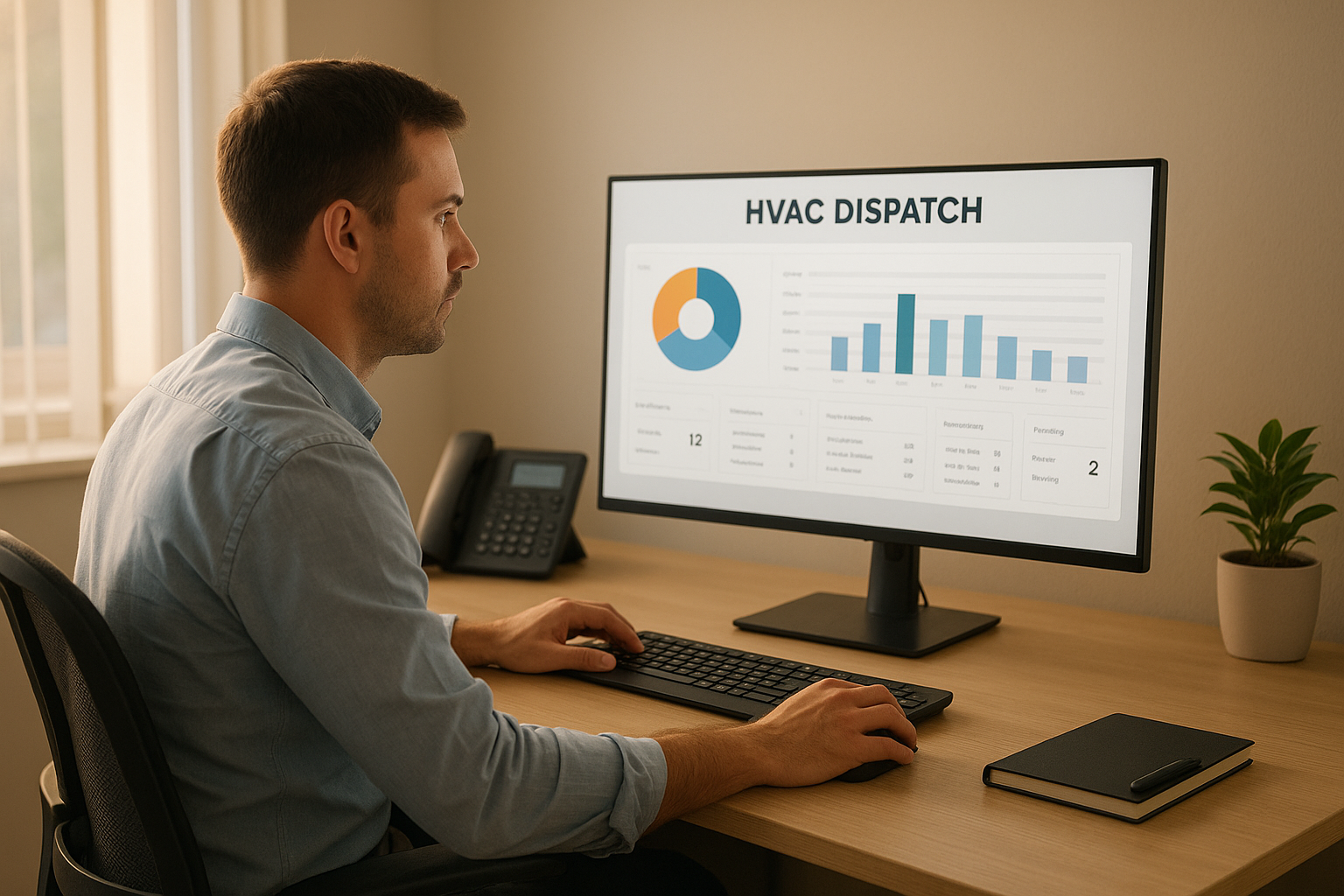
Software that doesn't charge per technician keeps the dispatcher's dashboard cost flat no matter how many crews are on the road.
What Is Software That Doesn't Charge Per Technician?
Software that doesn't charge per technician is a pricing model where a home service business pays one flat monthly fee regardless of how many people use the platform. In contrast, per-seat pricing adds a recurring charge for every technician, dispatcher, or office staffer added to the account.
For a trade business running three to fifteen trucks, this distinction matters more than almost any feature comparison. As a result, flat pricing effectively decouples software cost from headcount, which is the opposite of how most legacy field service platforms are built.
Why Per-Technician Pricing Quietly Drains Your Margin
Per-technician pricing looks affordable at launch, but the cost compounds silently as a company grows. Specifically, a platform charging $70 to $150 per technician per month can turn a five-truck operation's software bill into a ten-truck operation's second-largest line item within a year or two.
Consequently, owners often delay hiring or resist adding dispatch staff simply to avoid triggering another seat fee. That is a strange incentive for a growth business to carry, since the software meant to support expansion ends up discouraging it.
Home service operators already lose an estimated 20 to 30 percent of potential revenue to internal handoffs, such as missed calls, stalled estimates, and uncollected invoices, rather than to competitors. Per-seat software costs add a second, less visible leak on top of that first one.
How Flat-Rate Pricing Changes the Math as You Grow
Flat-rate pricing flips the growth equation. Instead of cost rising with headcount, the software bill stays fixed while revenue climbs, so the percentage of revenue spent on software actually shrinks over time.
For example, a business paying $349 per month on a flat plan pays exactly that whether it runs 5 technicians or 25. Therefore, every technician added beyond the break-even point is pure margin improvement rather than a new recurring expense.
A simple projection worth running:
Take your current technician count, double it, then multiply by your software's per-seat rate. If that number is higher than a flat plan's top tier, you are already overpaying for growth you haven't even hired yet.
The Hidden Cost of Per-Seat Software Stacks
Per-seat costs rarely appear in isolation. In addition, many operators stack five to thirteen separate tools for scheduling, invoicing, payments, marketing, and reviews, each with its own per-user fee. The hidden cost of stacking that many disconnected subscriptions often exceeds the cost of any single platform.
Furthermore, disconnected tools create their own leakage. Leads get lost between systems, estimates go cold waiting on a second login, and technician utilization drops when dispatchers juggle three screens to book one job. Consolidating onto a single flat-rate system addresses both problems at once.
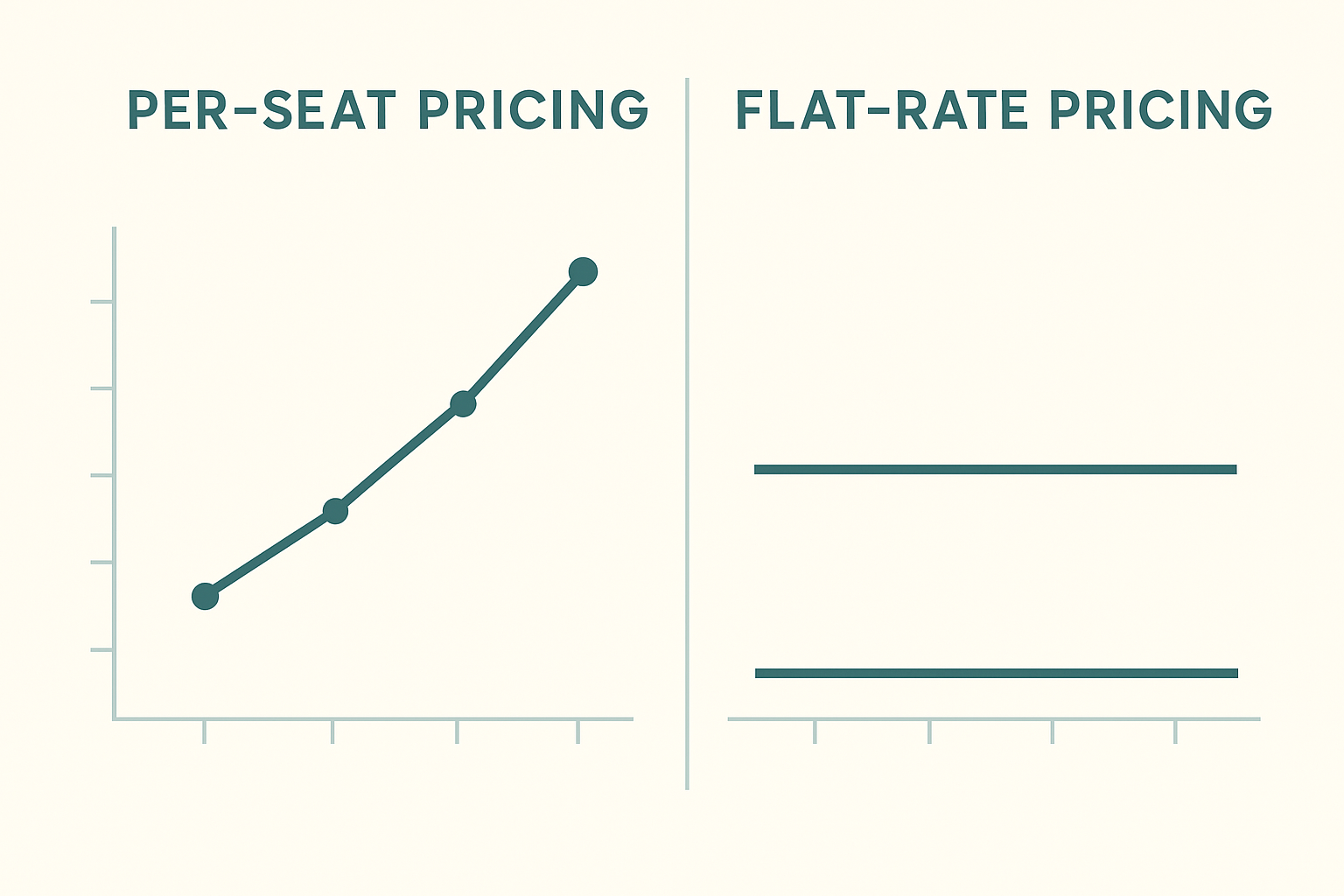
As crew size grows, per-seat software costs climb while flat-rate pricing stays level.
How to Switch to Software That Doesn't Charge Per Technician
Switching platforms sounds riskier than it usually is. In particular, most flat-rate platforms are designed to run alongside your current tools, so there is no need to shut anything down before you are confident in the new system. Here is the process most operators follow:
- Audit your current software stack. List every tool you pay for today, including scheduling, invoicing, payments, and marketing software, and note which ones bill per seat so you can see the real combined monthly cost.
- Project your cost at future headcount. Calculate what each per-seat tool would cost if you doubled or tripled your technician count, since this reveals how fast per-technician pricing will outpace a flat monthly plan.
- Start a trial alongside your existing tools. Run the flat-rate platform in parallel with your current system for a few weeks, testing lead intake, scheduling, and invoicing before making any switch permanent.
- Migrate customer and job data. Import your customer list, job history, and pricing books into the new platform, confirming that technicians and dispatchers can access everything they need on day one.
- Cancel redundant per-seat subscriptions. Once the flat-rate platform is handling calls, scheduling, estimates, and payments reliably, cancel the overlapping tools that were charging you per technician each month.
JobOS Pro: Flat Pricing Built for Growing Trade Businesses
JobOS Pro publishes three flat plans at $199, $349, and $549 per month, each including unlimited technicians, dispatchers, and office staff. That is the platform's central differentiator against competitors billing per seat, including enterprise systems built for much larger operations.
The platform covers the full revenue path, not just scheduling. Kate, an AI receptionist, answers inbound calls around the clock, checks availability, and books jobs automatically, which addresses the missed-call problem that costs many operators revenue before a technician is ever dispatched. From there, estimates with dynamic pricing, payments, text-to-pay, and a CEO dashboard with an Operational Health Score round out the system.
For operators currently comparing options, it helps to see how this approach stacks up directly. You can review how JobOS Pro compares to Service Fusion or read a more detailed ServiceTitan alternative breakdown to see the per-seat cost difference laid out side by side. According to the general software-as-a-service model, per-user billing is common across business software, which makes flat-rate exceptions like this one worth noticing.
Who Benefits Most from Unlimited-Technician Pricing
Unlimited-technician pricing benefits multi-crew owner-operators the most, specifically those running roughly three to fifteen trucks who have outgrown spreadsheets but are not ready for enterprise-level per-seat bills. This segment typically has outgrown entry-level tools yet feels every seasonal hire hit the software budget.
Multi-location and franchise operators represent a second, higher-value group. They need visibility and standardization across sites, and a flat per-location or flat overall rate makes royalty reconciliation and cross-unit benchmarking far simpler to budget for. You can see the full list of home service industries this model supports, which spans HVAC, plumbing, electrical, and adjacent trades.
Workforce data supports why this matters now. The U.S. Bureau of Labor Statistics projects continued, faster-than-average job growth for HVAC installers and mechanics, which means operators who plan to keep hiring have a direct financial reason to avoid pricing that penalizes that growth.

Field technicians use the same flat-rate platform whether a company has five trucks or fifty.
Common Mistakes When Evaluating Flat-Rate Software
One common mistake is comparing only the entry-level price of two platforms without projecting cost at a larger headcount. A $99 per-seat starter plan can look cheaper than a $349 flat plan until you add eight technicians and the per-seat total quietly passes $700 or more.
Another mistake is assuming flat-rate software must be less capable. In practice, the broader issue for most operators is not the platform's feature list but whether their business guide, according to the U.S. Small Business Administration, correctly budgets for staffing growth alongside the tools that support it. Flat pricing simply removes one variable from that budgeting exercise. You can explore the current plans directly at jobospro.com to see how the tiers compare against your own crew size.
Frequently Asked Questions About Software That Doesn't Charge Per Technician
What does it mean when software doesn't charge per technician?
Software that doesn't charge per technician uses a flat monthly price instead of billing per seat or per user. You can add dispatchers, office staff, and crews without your software bill increasing.
How much does JobOS Pro cost per month?
JobOS Pro publishes three flat plans at $199, $349, and $549 per month. Every tier includes unlimited technicians, dispatchers, and office staff.
Why do platforms like ServiceTitan charge per seat?
Enterprise platforms often price per technician because it scales revenue with company growth. The tradeoff is that your software cost rises every time you hire, which can erode margin for smaller operators.
Is flat-rate field service software less powerful than per-technician platforms?
Not necessarily. Modern flat-rate platforms like JobOS Pro include scheduling, dispatch, estimates, invoicing, and an AI receptionist in the same system, covering most of what per-seat enterprise tools offer.
How many technicians can I add on a flat-rate plan?
On a true unlimited-technician plan, there is no cap. You can add as many field technicians, dispatchers, and office staff as your business needs at the same flat price.
What happens to my software bill when I hire more techs?
With software that doesn't charge per technician, your monthly bill stays the same regardless of headcount. With per-seat pricing, each new hire adds a recurring line item to your software spend.
Can I switch from Jobber or Housecall Pro without losing data?
Most flat-rate platforms, including JobOS Pro, are designed to run alongside your existing tools during a transition period. That means no forced migration and no downtime while you move data over.
Does JobOS Pro require a long-term contract?
No. JobOS Pro is month-to-month with a 30-day free trial and no credit card required to start.
How long is the free trial?
JobOS Pro offers a 30-day free trial. Operators can test lead intake, scheduling, and invoicing before committing to a paid plan.
What industries use software that doesn't charge per technician?
HVAC, plumbing, electrical, and adjacent home service trades are the primary users. These businesses typically run multiple crews and feel per-seat costs the most as they scale.
How does flat pricing affect profit margin as a company scales?
Flat pricing keeps software cost as a shrinking percentage of revenue as a company grows, since the bill does not move with headcount. Per-seat pricing does the opposite, compounding cost alongside growth.
What's the biggest mistake operators make when evaluating software pricing?
Many operators compare the sticker price of a starter plan without projecting the per-seat cost at double or triple their current headcount. That projection often reveals the real long-term cost difference.
Does unlimited-technician pricing include dispatchers and office staff too?
On platforms built around this model, yes. JobOS Pro includes unlimited technicians, dispatchers, and office staff on every tier, not just field crews.
Final Takeaway
In the end, software that doesn't charge per technician is less about a pricing gimmick and more about aligning your software cost with how your business actually grows. Per-seat pricing punishes hiring, while flat pricing rewards it, and that difference compounds every year a growing trade business keeps adding trucks. Above all, the right move is to run the math on your own headcount projection before signing another per-seat contract, since the gap between the two models only widens as a company scales from a handful of technicians to a full multi-crew operation.
