Subscription billing for home service companies is a way to charge customers automatically for recurring maintenance plans instead of chasing one-off payments. It turns a repair-driven business into one with predictable monthly income. This guide explains how it works, how to set it up, and what to watch for.
Quick answer: Offer one to three maintenance plans, save each customer's payment method at enrollment, and let your software bill and schedule visits automatically. As a result, you earn steady revenue and keep customers coming back.
What Is Subscription Billing for Home Service Companies?
It is a recurring payment model tied to a service agreement. The customer pays monthly or yearly, and in return gets scheduled visits, discounts, or priority booking. For example, an HVAC company might offer two tune-ups a year for a flat monthly fee.
The model is closely related to the broader subscription business model. However, field work adds a twist. You must bill and also deliver visits on time.
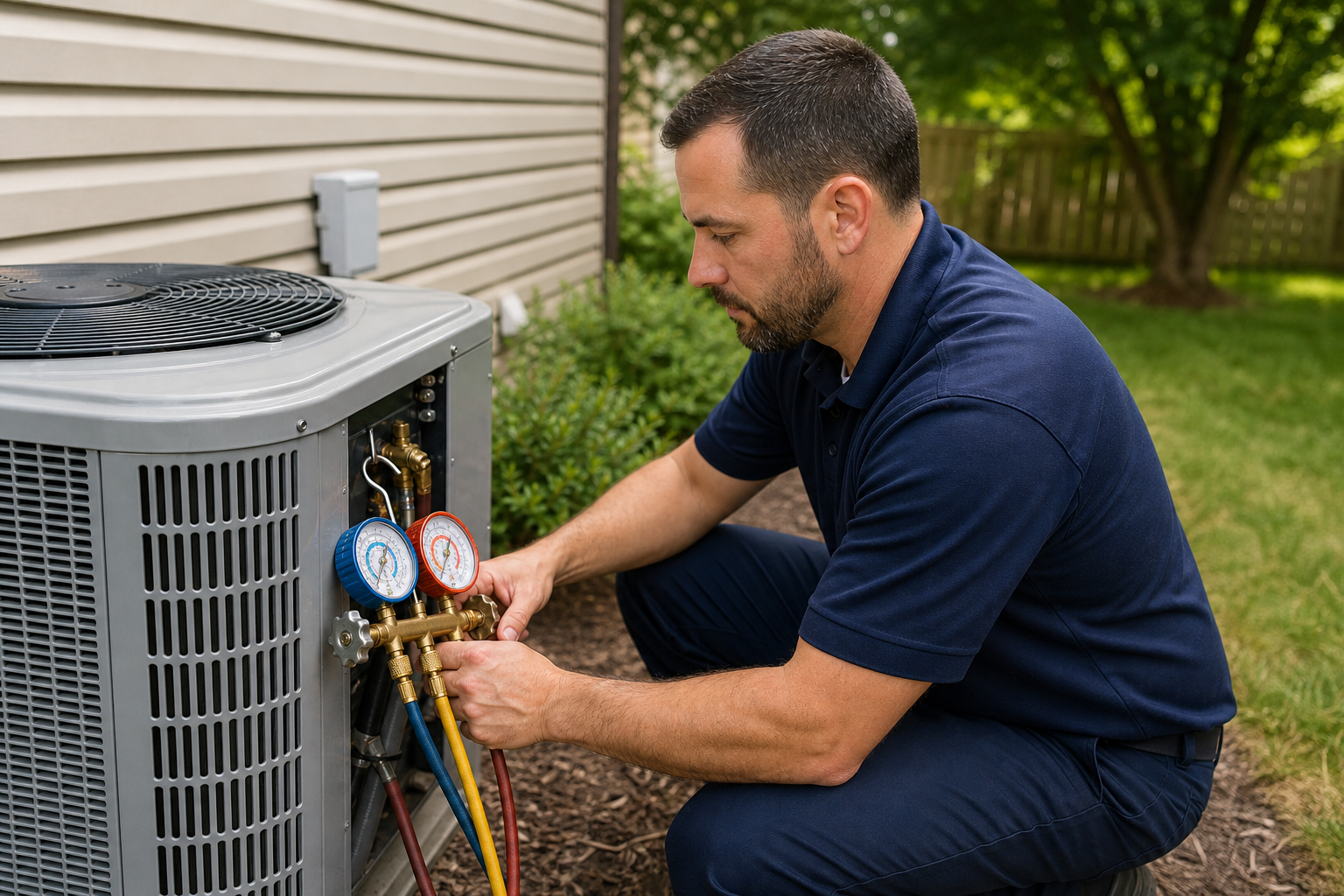
A routine tune-up is the visit that subscription billing for home service companies is designed to fund and schedule.
Why Recurring Billing Matters for Contractors
Project work is lumpy. Slow seasons strain payroll, and busy seasons hide weak follow-up. Recurring revenue smooths both.
In addition, plan members tend to call you first when something breaks. That protects you from losing the job to whoever answers first. Furthermore, scheduled visits give technicians a chance to spot larger repairs early.
Revenue That Does Not Depend on Weather
A heat wave or cold snap drives emergency calls. Memberships, by contrast, pay every month no matter what the forecast says. Consequently, cash flow becomes easier to plan.
Fewer Unpaid Invoices
Auto-pay removes the follow-up calls. Money arrives on a set date, so you spend less time collecting and more time working.
Common Plan Structures
Most companies start simple. Here is how typical options compare.
| Model | How it bills | Best for |
|---|---|---|
| Monthly membership | Small charge each month | Lowering the barrier to enroll |
| Annual prepay | One charge per year | Up-front cash and lower churn |
| Tiered plans | Good, better, best pricing | Upselling coverage and priority service |
How to Set Up Recurring Billing for a Service Business
Follow these steps to launch a program without disrupting daily work.
- Define your tiers. Pick one to three plans, list the visits and discounts, and set prices.
- Write the agreement. Cover visit frequency, cancellation, price changes, and exclusions. Have a local attorney review it.
- Connect payments. Accept cards and bank debit, and require a saved payment method at signup.
- Automate scheduling. Create recurring jobs so each visit is booked and dispatched on time.
- Enroll at every job. Train technicians to offer the plan, then text a link to sign up on the spot.
- Watch failed payments and churn. Review declines weekly and refine plans based on cancellations.

Enrolling customers at the end of a visit is the easiest way to grow a plan base.
Pitfalls That Cost Contractors Money
Several mistakes recur across the trades. First, underpricing plans so that included visits lose money. Second, vague cancellation language that leads to disputes. Third, billing customers without ever scheduling their visit.
Also, check local rules on automatic renewals. Requirements vary by state and province, so confirm yours with counsel. The Federal Trade Commission publishes consumer guidance on recurring charges in the United States.
Choosing Software for Recurring Jobs and Payments
The software needs to bill, schedule, and sync with your books. Otherwise, you end up reconciling by hand. Look for recurring jobs, text-to-pay, saved payment methods, and a clean sync with QuickBooks.
Pricing structure matters too. Many platforms charge per technician, so costs climb with every hire. For a deeper look, read this guide to field service software without per-seat pricing and the flat-rate pricing overview.
Where JobOS Pro Fits
JobOS Pro is an all-in-one platform for HVAC, plumbing, electrical, and related trades in the United States and Canada. It includes invoicing, text-to-pay, recurring jobs, and subscription billing alongside scheduling, dispatch, and reviews. Plans cost $199, $349, or $549 per month with unlimited technicians and office staff on every tier.
A 30-day free trial requires no credit card, and the platform runs alongside tools like Jobber, ServiceTitan, and QuickBooks. If you are trimming your stack, see how to consolidate contractor software subscriptions.
Frequently Asked Questions
What is subscription billing for home service companies?
It is a system that charges customers automatically on a schedule for a maintenance plan or service agreement. Subscription billing for home service companies usually bundles recurring visits with discounts or priority service.
Which trades benefit most from recurring billing?
HVAC, plumbing, electrical, pest control, lawn care, and pool service all fit well. Any trade with seasonal or predictable maintenance needs can offer a plan.
How much should a maintenance plan cost?
Price depends on your market, visit count, and costs. Work backward from labor, travel, and parts for each included visit, then add margin and a discount that still feels like a value to the customer.
Should I bill monthly or annually?
Monthly billing lowers the barrier to enroll and smooths your cash flow. Annual billing brings cash up front and usually reduces churn, so many companies offer both.
How do I handle failed card payments?
Use automatic retries and send a text or email asking the customer to update the card. Pause benefits only after a clear grace period spelled out in the agreement.
Can I run recurring billing with QuickBooks?
Yes. QuickBooks supports recurring invoices, and field service platforms can sync invoices and payments to it. Check that customer records and payments reconcile cleanly.
What is the difference between a service agreement and a subscription?
A service agreement is the contract that defines the work and terms. The subscription is the recurring payment attached to it.
How long does it take to set up a membership program?
Most small contractors can define plans, write terms, and connect payments in a few days. Building the habit of enrolling customers at every visit takes longer.
What are common mistakes with recurring billing?
Common mistakes include unclear cancellation terms, underpriced plans, and visits that never get scheduled. Customers who are billed but never visited tend to cancel and complain.
Does per-technician software pricing affect plan profitability?
It can. When software cost rises with each hire, growing a plan base means growing your tool bill too. Flat-rate pricing keeps that cost steady as headcount changes. See why some owners stop paying per user.
Do customers need to sign something to enroll?
Yes, you should get explicit consent to recurring charges and the agreement terms. A signature or electronic acceptance, plus a saved payment method, is standard practice.
Can I try recurring billing without switching my whole system?
Often yes. JobOS Pro offers a 30-day free trial with no credit card and runs alongside tools such as Jobber, ServiceTitan, and QuickBooks, so no migration is required to start.
Conclusion
Subscription billing for home service companies replaces unpredictable income with steady, automated revenue. Start with simple plans, get clear consent, save payment methods, and make sure every paid visit is scheduled. Choose software that handles billing and dispatch together, and keep costs flat as your crew grows, as outlined in this look at software that does not charge per technician.

