
Fix $2.3B in Leaks: Track Marketing Source Revenue for Home Services
Fix $2.3B in Leaks: Track Marketing Source Revenue for Home Services
Attributing revenue to a marketing source before you close operational leaks produces numbers you cannot trust. Missed calls, slow invoicing, and no-shows destroy revenue regardless of which channel produced the lead, which means channel ROI calculated on top of those leaks is fiction. Plug the leaks first, then track marketing source revenue with confidence. A tool with automated capture and recovery features can help with that process. This guide gives you a one-week checklist, the KPI math, a 30-day rollout, and a way to verify the results.
TL;DR:
- Most revenue leaks stem from missed calls, delayed invoicing, and unpaid invoices, which skew true channel performance metrics.
- Tracking source-specific missed calls, invoice aging, and no-show rates uncovers hidden losses before marketing adjustments.
- Automating workflows like AI answering, invoice reminders, and multi-channel collections can recover a significant portion of overdue revenue within weeks.
- Fixing operational leaks first ensures that channel attribution data becomes reliable, preventing misjudgments about marketing effectiveness.
- Using automated recovery platforms can quickly identify and plug revenue leaks, saving weeks compared to manual methods.
Table of Contents
- How to Track Marketing Source Revenue When Operational Leaks Are Draining It
- What KPIs and Formulas Turn Leaks Into Dollars by Source?
- Which Automations Recover the Most Revenue by Source?
- How Do You Roll This Out in 30 Days?
- How Do You Verify Recovered Revenue by Source?
- Why Operational Fixes Come Before Channel Attribution
- Let JobOS Pro Run the Recovery Playbook for You
- Sources
How to Track Marketing Source Revenue When Operational Leaks Are Draining It
Before you can measure marketing effectiveness by channel, you have to know how much revenue never made it out of your own operations. Five checks surface most of the damage in under a week.
- Pull missed-call counts by tracking number. Sort by the phone line tied to each lead source and note peak windows. Missed calls cluster predictably after 5 PM, at lunch, and on weekends, so you already know where to look first.
- Measure same-day invoice rate and Day 7 collection percentage per source. A job booked from a paid ad that sits uninvoiced for four days is losing money the ad spend cannot fix.
- Capture lead-to-booking lag and appointment-to-complete rate. A slow booking response kills conversion no matter how good the lead was.
- Review AR aging and tag unpaid invoices by source. Overdue accounts hide inside “successful” channels until you break them out.
- Verify your intake system preserves source metadata. Call tracking IDs, form IDs, and technician notes need to survive the handoff from lead to job to invoice, or your attribution breaks at the finish line.
Run this audit against your existing systems before touching a single ad budget. Most owners find at least one source that looks weak on paper simply because its leads are the ones getting lost internally, not the ones failing to convert.
What KPIs and Formulas Turn Leaks Into Dollars by Source?
Six numbers tell you almost everything: missed calls, average ticket, expected close rate, same-day invoice percentage, percent of dollars paid by Day 7, and no-show rate. Track each one by source, not just company-wide, or you will misjudge which channels are actually underperforming.
- Missed-call revenue lost = missed calls per week × average ticket × expected close rate. An HVAC company with an average ticket of $340 and 18 missed calls per week can lose more than $120,000 a year, and that number lands on whatever source generated the call.
- AR loss = overdue balance by source × (1 minus expected recovery rate). Use a conservative 30% recovery assumption for aging invoices you have not yet automated, and 50% once a structured sequence is running.
- No-show cost = no-show rate × average ticket × booked appointments per source. A 10% no-show rate on a source generating 40 jobs a month at a $300 ticket is $1,200 walking away monthly, unrelated to lead quality.
Statistic to know: A 5-touch automated collections sequences typically recover a substantial portion of aging receivables, often ranging between 30% and 50%, which means the gap between your current recovery rate and that range is real money sitting in your AR ledger right now.
Once revenue is recovered, attach it back to the original lead UID rather than crediting it to whichever channel touched the job last. That single habit is what keeps your source-level numbers honest.
Which Automations Recover the Most Revenue by Source?
Four workflows account for most of the recoverable revenue in a typical home service operation, and each one maps to a specific integration point in your existing stack.
- 24/7 AI answering or overflow coverage. Contractors who answer within three rings close roughly 78% of inbound leads, compared to about 23% for voicemail; AI-answered calls with immediate booking convert at close to 71%, and shops that turn on 24/7 coverage often see after-hours bookings climb within 90 days.
- Invoice-to-payment automation. Invoice the moment a job is marked complete, then run a 0‑1‑3‑7 day cadence of reminders. Build in conditional stop logic that checks payment status before every touch so a customer who already paid never gets a collections text.
- Multi-channel collections. Layer SMS and email reminders with a Day 21 phone call for accounts still open. SMS at Day 7 carries the highest return of any single change in the sequence, largely because of open rates most owners underestimate.
- Booking hygiene. Instant booking confirmations, automated reminders, and a no-show follow-up sequence close the gap between a scheduled appointment and a completed, invoiced job.
Each of these depends on capturing three integration events cleanly: job.complete, invoice.created, and payment.posted. Most field service and accounting connectors, including Jobber and QuickBooks, can pass these events if you wire them correctly.
Pro Tip: Schedule your Day 7 SMS reminders mid-morning on weekdays to optimize response and payment rates, which tend to be lower on Mondays and weekends
How Do You Roll This Out in 30 Days?
- Week 1: Baseline audit. Pull missed-call logs, invoice aging reports, and tag every open lead with its source. Set explicit targets (85%+ same-day invoicing, 70%+ dollars collected by Day 7) rather than vague improvement goals.
- Week 2: Turn on invoicing controls. Enable same-day invoicing, one-click payment links, and automated reminders at Day 3 and Day 7. The office manager owns this rollout; IT or your software vendor handles the integration.
- Week 3: Deploy call and booking automation. Activate AI answering or overflow coverage, booking confirmations, and no-show follow-up messages. This is where the owner should personally review the first week of AI-handled calls.
- Week 4: Wire up reporting. Build a weekly dashboard, hold a 15-minute Friday review, and set up a straight comparison against your pre-rollout 30-day baseline.
Quick validation each week: spot-check a handful of call recordings, confirm payment links actually reach customers, and verify job-completion timestamps trigger invoices without a manual step.
How Do You Verify Recovered Revenue by Source?
Build two core reports: gross revenue by source, and revenue by source adjusted for the leak categories you tracked in Week 1 (missed calls, late invoices, no-shows). Layer in days sales outstanding (DSO) and same-day invoice percentage broken out by source, since a channel with strong lead volume but poor DSO is quietly underperforming.
- Run a matched 30-day pilot against a comparable prior period, matching for seasonality and weekday mix so weather or holiday timing doesn’t distort the comparison.
- Preserve the lead UID through the entire job lifecycle to prevent double-counting recovered revenue against two different sources.
- Suppress retargeted paid leads from getting counted as new revenue when they are really a second touch on an existing job.
- Sample-check call recordings, payment logs, and job-completion timestamps weekly rather than trusting dashboard totals blindly.
Statistic to know: Companies automating invoice-to-payment workflows commonly cut DSO from 18 to 25 days down to under 5, which gives you a clear before-and-after number to hold your pilot against.
Why Operational Fixes Come Before Channel Attribution
Most home service owners chase channel optimization first because it feels more strategic than fixing a phone tree. That instinct is backward. Every dollar spent boosting a “high-performing” channel gets diluted the moment its leads run into the same missed calls and slow invoices dragging down every other source.
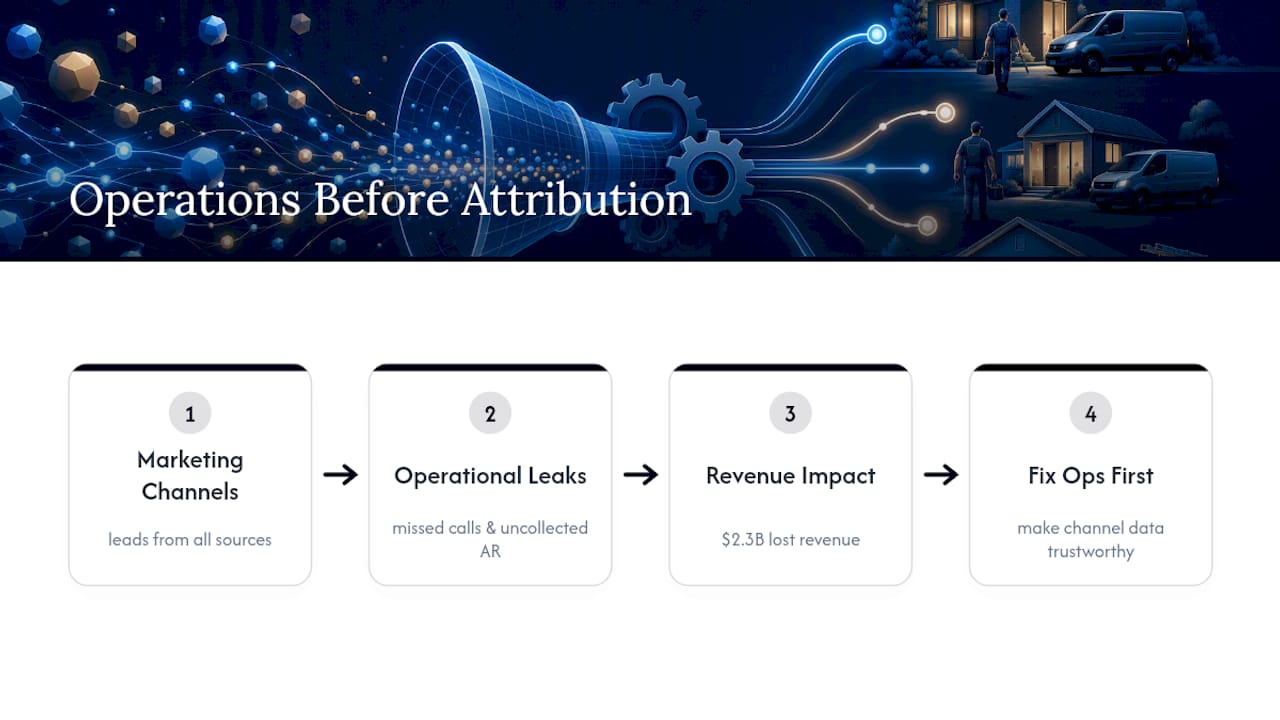
The pattern shows up across the industry at real scale. JobOS Pro’s research into franchise networks found that missed calls and uncollected AR account for a combined $2.3 billion in lost revenue across the operators studied, a number that has nothing to do with which ads or lead sources those operators were running. This is why some platforms are built as AI-native operations platform rather than another marketing dashboard: treating missed-call capture, AR automation, and scheduling reliability as the actual attribution layer, with multi-location intelligence that lets franchise leaders see which locations are leaking revenue regardless of source.
Fix the operational side first. The channel data becomes trustworthy on its own.
— Tarun
Let JobOS Pro Run the Recovery Playbook for You
Every workflow in this guide, from AI answering to invoice cadences to booking confirmations, can be run automatically by some platforms, without replacing the field service or accounting software you already use. Such platforms connect to existing setups, like Jobber, QuickBooks, or other combinations, and turn missed-call logs and AR aging into a live dashboard instead of a Friday afternoon spreadsheet.

For an owner running this manually, the real cost isn’t the labor. It’s the two or three weeks it takes to notice a leak before the numbers catch up. These solutions close that gap by flagging missed calls, invoice stalls, and no-show patterns as they happen, then routing recovery actions (a text, a payment link, a booking confirmation) without waiting on a staff member to run the report. Franchise operators gain the ability to see which locations are leaking revenue and standardize effective fixes.
If you run more than one location, the multi-location intelligence built into the platform shows corporate leadership exactly where recovery is lagging. Ready to see your own leak numbers? Book a demo and bring last month’s call logs and AR aging report. You’ll walk out with a real dollar figure, not an estimate. You can also see how the platform maps against your current setup on the Jobber alternative comparison if you’re evaluating a switch.
Sources
- Home Service Missed Call Statistics 2026: The Data Behind the Problem
- Invoice Collections Automation for Home Services 2026 (Template)
- Get Paid in 48 Hours: The 0-1-3-7 Collections Cadence Guide